
On this page
Someone leaves a review that is wonderful. After reading it, you send it to whoever worked on this service/repair. Then, you get back to working on what ever else needed to be done. A week later, you can't think of anything to write in your next post. This review never crosses your mind.
The value here is revisiting this review. A customer stated an appreciation or compliment for your business that would be difficult to express regarding your own business without coming off as boastful. They acknowledged the phone call. They appreciated being heard. They were relieved when their bill was explained.
You don't have to do much with that. Take the review, create it so its easier to read, and then add some of your own words. Below is a step-by-step guide using fictional automobile repair reviews to illustrate the process. All examples and screen shots below are fictional; please use actual words customers leave for you.
Choose a review with a small story in it#
“Great service” is good to read. “They called before doing anything else” provides a bit of additional information for your readers as well. They can envision what occurred and why the customer enjoyed this action.
Find those kinds of details. For example, a customer may tell you that someone listened before he or she picked up his or her scissors. An example would be if a customer remembered being shown where the leak was. Also an example would be when a cafe regular told you how happy they were that their food was ready at the same time they caught their bus.
Even though these examples are small they provide answers for the type of questions your new customers will ask. (Will someone explain the job?) (Will they listen?) (Can I schedule a visit for my morning?)
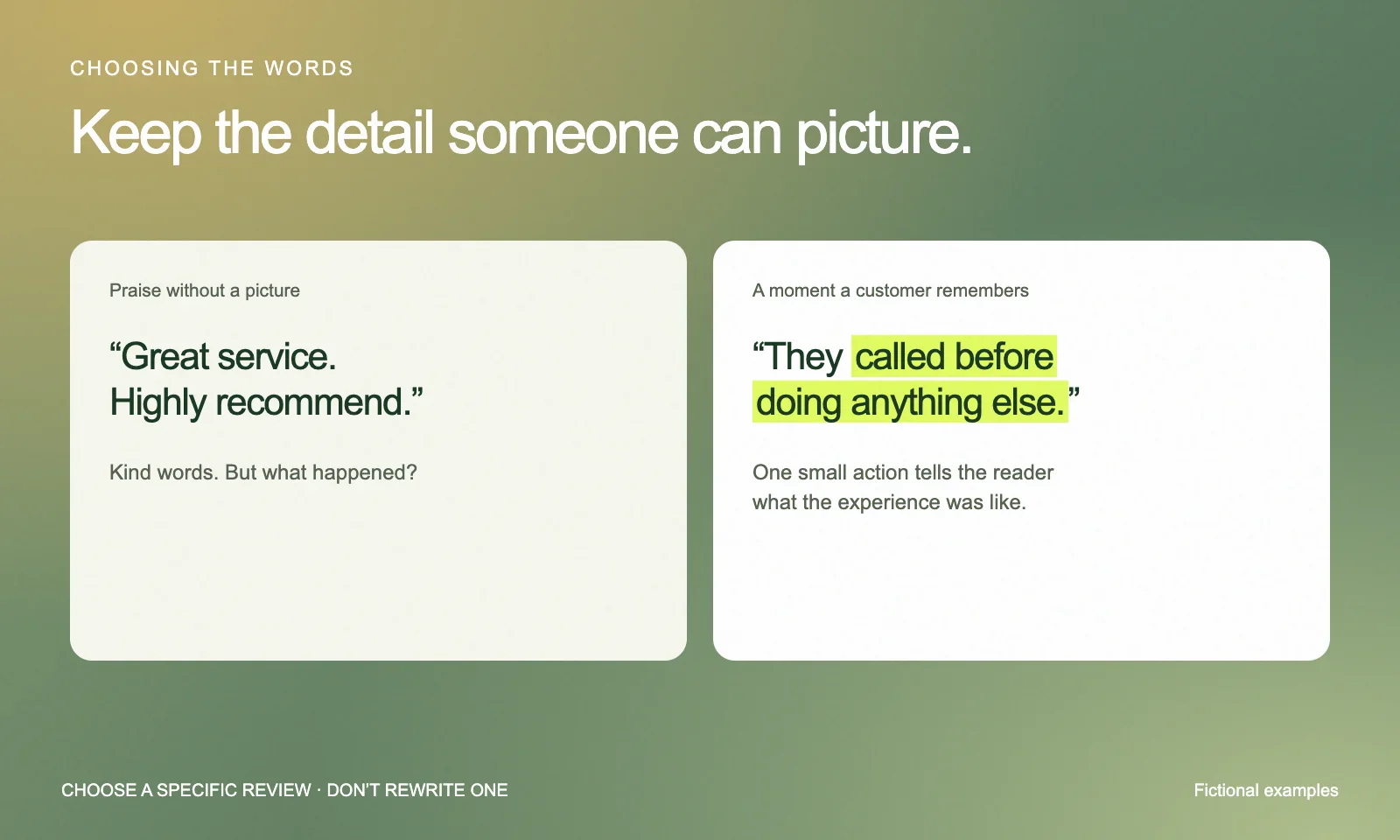
The reason you’re choosing to publish one of these reviews is because of the way the customer worded them. If you do decide to use the customer’s words, even if they’re a bit awkward, keep them. The customer chose to write them that way.
Ask before you share#
The initial contact with them should be brief and will begin the communication about sharing their review:
Thank you for that. Are you okay with us posting something on our social media using just your first name or no name at all?
Share the relevant portion of the review in addition to your request to share it. If it was sent via DM/Text, make clear that the post will be public. As stated earlier ask how they would like to be referenced (name etc.).
In most cases, there is no need to obtain a person's full name, photos of themselves, home address or personal info to convey the information. Limit the content to only what is necessary. Save the original review and their reply. This way when the time comes to publish the testimonial you'll have easy access to both messages without having to rely on your memory months down the road.
Put the review on a card#
We are using our free testimonial graphic maker for this tutorial. This tool allows you to enter in text and see a picture of the card as you go through the process. There isn’t an account that needs to be created.
For these images we will be using the Auto repair sample provided by this service. For example, a local auto repair company (fictional) determines that there was a less costly issue than they had anticipated and contacts the owner of the vehicle before proceeding. It is the phone call, which explains why it happened, and some additional details surrounding the situation.
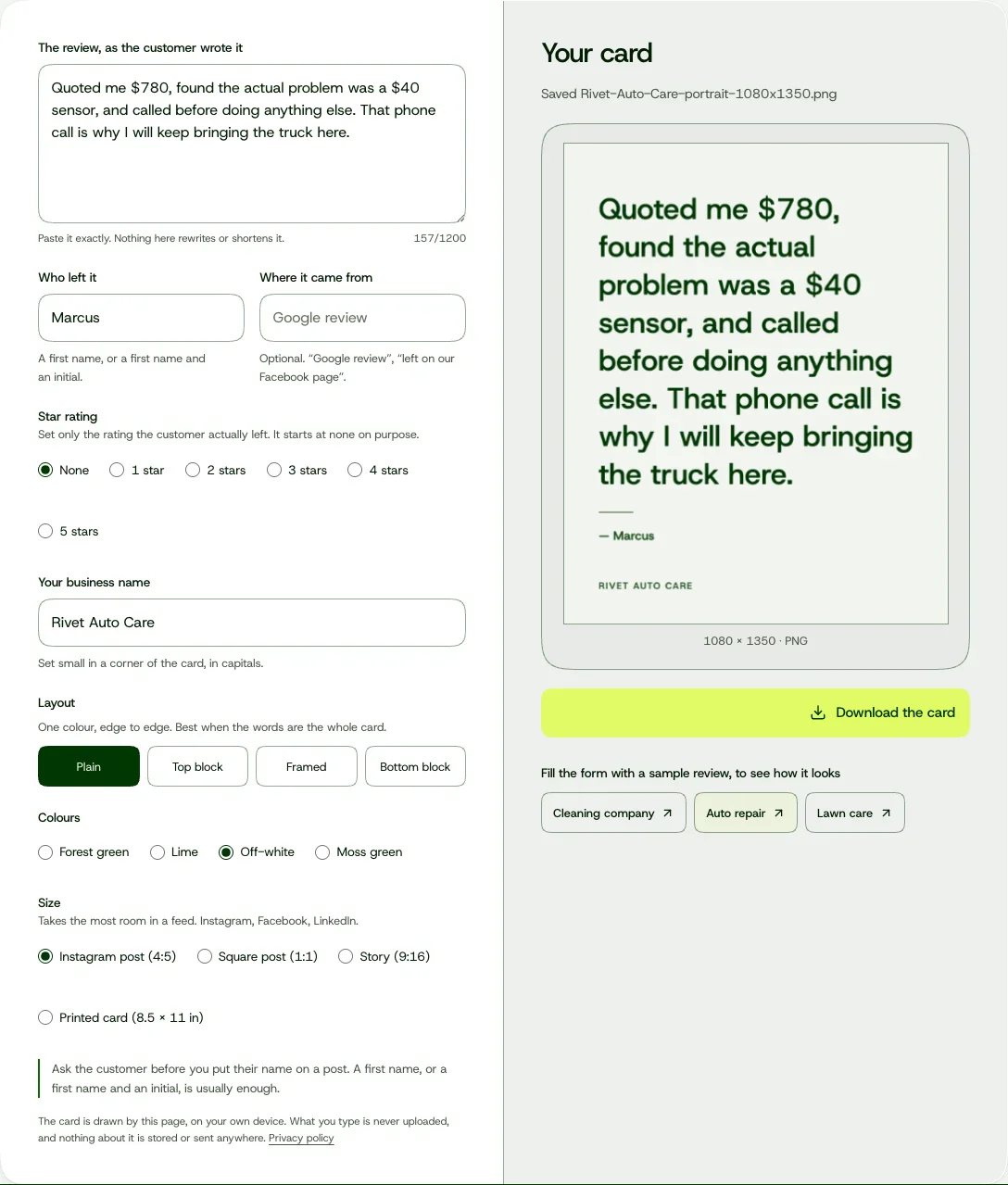
Enter the customer’s actual review as written (the The review, as the customer wrote it section). Enter the agreed upon customer name in the Who left it area. You may also indicate the origin of the review (in Where it came from), but only if it is the actual location. A text message does not suddenly become a Google review simply because it is labeled like a Google review.
You should leave Star rating at None unless the customer has assigned a star rating. Since our sample has no rating, the image of the card shown above has no stars. Even positive comments do not provide information about whether or not the customer would have selected a particular number of stars.
Add your business name, then choose the layout and colours. We used Plain and Off-white. If you're unsure where to start, try those and see how your review looks.
Give it room to be read#
If you want them to be as easy as possible to read on the card then eliminate something else.
A. Use a standard size for this image based upon the area where you will use the image. These are simply the exporter’s sizes which do not represent the exporting limitations of each platform.
| Choice in the tool | Export dimensions | A useful starting point for |
|---|---|---|
| Instagram post (4:5) | 1080 × 1350 px | A portrait card for your feed |
| Square post (1:1) | 1080 × 1080 px | A compact, square composition |
| Story (9:16) | 1080 × 1920 px | A tall, vertical composition |
| Printed card (8.5 × 11 in) | 2550 × 3300 px | A page for the counter or waiting area |
B. If the review is larger than the image, the exporter will alert you before it will allow you to download the image. It won’t quietly drop the last sentence. Consider using Story (9:16) with Plain layout and/or select a smaller review.
C. An excerpt may also work. Select a complete passage and indicate within the caption that it is an excerpt and confirm that it still conveys the intended idea. "It looked great after they came back and fixed it" provides an entirely different story than "It looked great." You cannot trim the end of a quote just to make it appear like the shortened version is more appropriate.
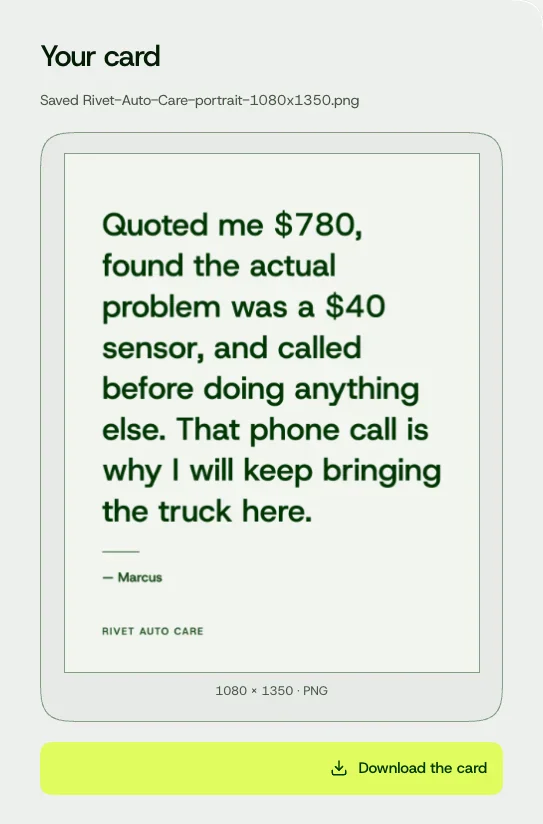
D. Click on Download the card to save your PNG. Open the PNG on your mobile device prior to posting, read all of the content without having to zoom. Confirm that both the name and the final sentence(s) accurately reflect what you intended, then go into the application where you intend to post/sharing, click on preview to see how it will appear when shared. Although cropping does provide options for hiding some things you included in your original creation, it could potentially delete information you wanted to remain intact.
Add a caption that sounds like you#
Your customers have used those words as part of their comment. The caption is your response.
If you were writing a caption for a real review (like the fictional repair example provided), something that simple will suffice:
Thank you for taking the time to write this, Marcus. I am glad we were able to fix the truck.
or
If the customer noted some part of the process, you may want to use that to describe what your shop does:
We always call before proceeding with additional work. This allows you to inquire about the work prior to us proceeding and make decisions regarding what actions you wish to take. Thank you for noting that, Marcus.
In the case of the second caption above; making a commitment to call in advance should be based upon a habit at your shop. One customer's experience should not be justification for creating a new practice at your shop.
It ends here. You do not need an "another happy customer," additional star rating, or a booking link. Read the caption out loud. If you would tell the customer over the counter, it is likely fine.
Keep the next review somewhere handy#
- Create a file or folder for all reviews that you are allowed to use (the originals - name as agreed upon - final card) and include a brief note on each post so you know which is a review.
Add a mix of customer review posts to your daily photos, customer Q&A answers and daily updates. A review gives customers an idea of how they will feel after a visit. Other social media posts can add some insight into the process of getting to the point of their visit.
Once you decide to use a review for social media content, the testimonial graphic maker can assist with creating the image for the review. This product does not locate, confirm or create reviews. Include the customer's own words, make sure there is sufficient space for them to be able to read their words and express thanks to the person that took the time to leave their review.
Frequently asked questions
How do I turn a customer review into a social media post?
Use one of your reviews that has something interesting in it and check first if this person would be okay with you posting what they said. Write their comments on an easy-to-read card, give credit where due, write a few lines about why you liked their review, and thank them for their time
Can I shorten a review for a testimonial graphic?
Yes, as long as you keep the same meaning. Choose one whole piece for your caption, say this piece is an excerpt, and include everything that makes the compliment valid. If you have to cut too much from the other review, consider using another review instead.
What should I write in the caption of a review post?
Begin by thanking them for taking the time. A small detail can be added, but only if it's accurate and helpful. Separate your comments from the quotation. No need to copy the review or add an invite to book.
Is Soyla’s testimonial graphic maker free?
Yes, and no registration required. Copy & paste the review into the tool, enter the agreed upon citation, select the design and size of the card you wish to create, then click on 'Download the card'. The Card will be created within your browser.