On this page
To use a teleprompter, put your phone on a stand at eye level, place the words right below the camera, make the text big enough to read without leaning in, start at 140 words per minute, and read the script aloud once before you record.
Most first reads go wrong in the setup, not in your nerves. Get the phone and the words in the right place before you touch the speed, and a first read gets easy. You can try one right now in a browser with no download and no sign-up.
A teleprompter scrolls your script near the camera lens so you can read while looking straight at the viewer. The tool is simple. The part that takes care is where you put it.
The setup in five steps#
- Put your phone on a stand at eye level.
- Move the reading line so the words sit just below the camera.
- Make the text big enough to read from where you sit.
- Set the pace to 140 words per minute.
- Read the script aloud once before you record.
Each step matters more than the one after it. Get the position wrong and no speed setting will save you.
Put the phone at eye level#
A teleprompter only works when you can look at the words and the camera at the same time. Mount your phone on a tripod, a stack of books, or any stand that holds it steady at the height of your eyes.
If you look down at a phone on a desk, the camera catches the top of your head, and you’ll look like you’re reading.
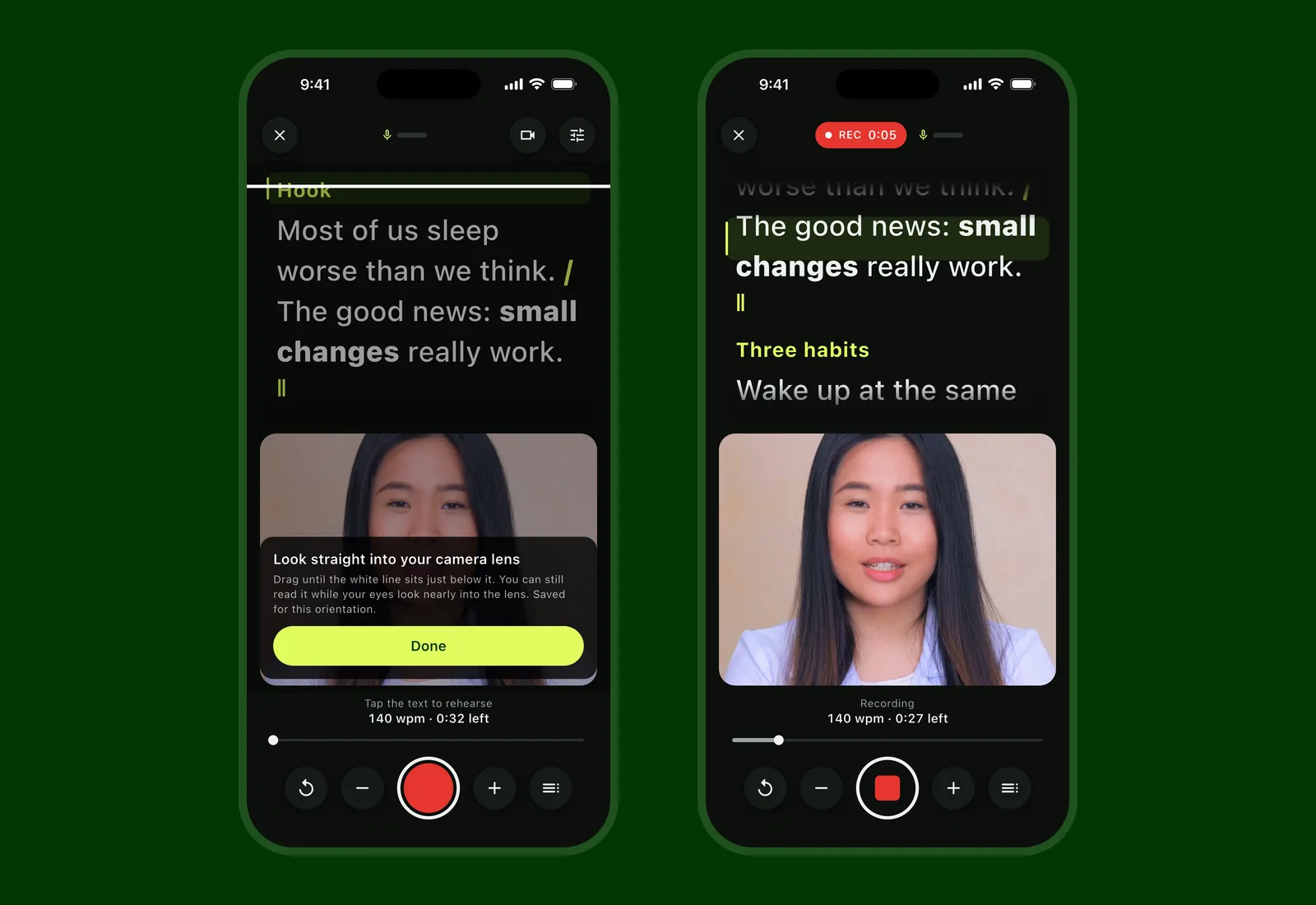
Landscape or portrait both work. In Soyla, the words sit at the top of the screen in portrait and on the camera’s side in landscape, so the text is always near the lens.
Move the words right below the camera#
This is the single thing that makes or breaks eye contact. A small Stanford study by Milton Chen (CHI 2002, 16 observers) suggests keeping what you look at within about 1 inch of the camera on a phone a foot away, and about 3 inches on a screen three feet away.
People also noticed far less when the speaker looked below the camera than to the side or above it.
So put the words below the lens, as close to it as you can.
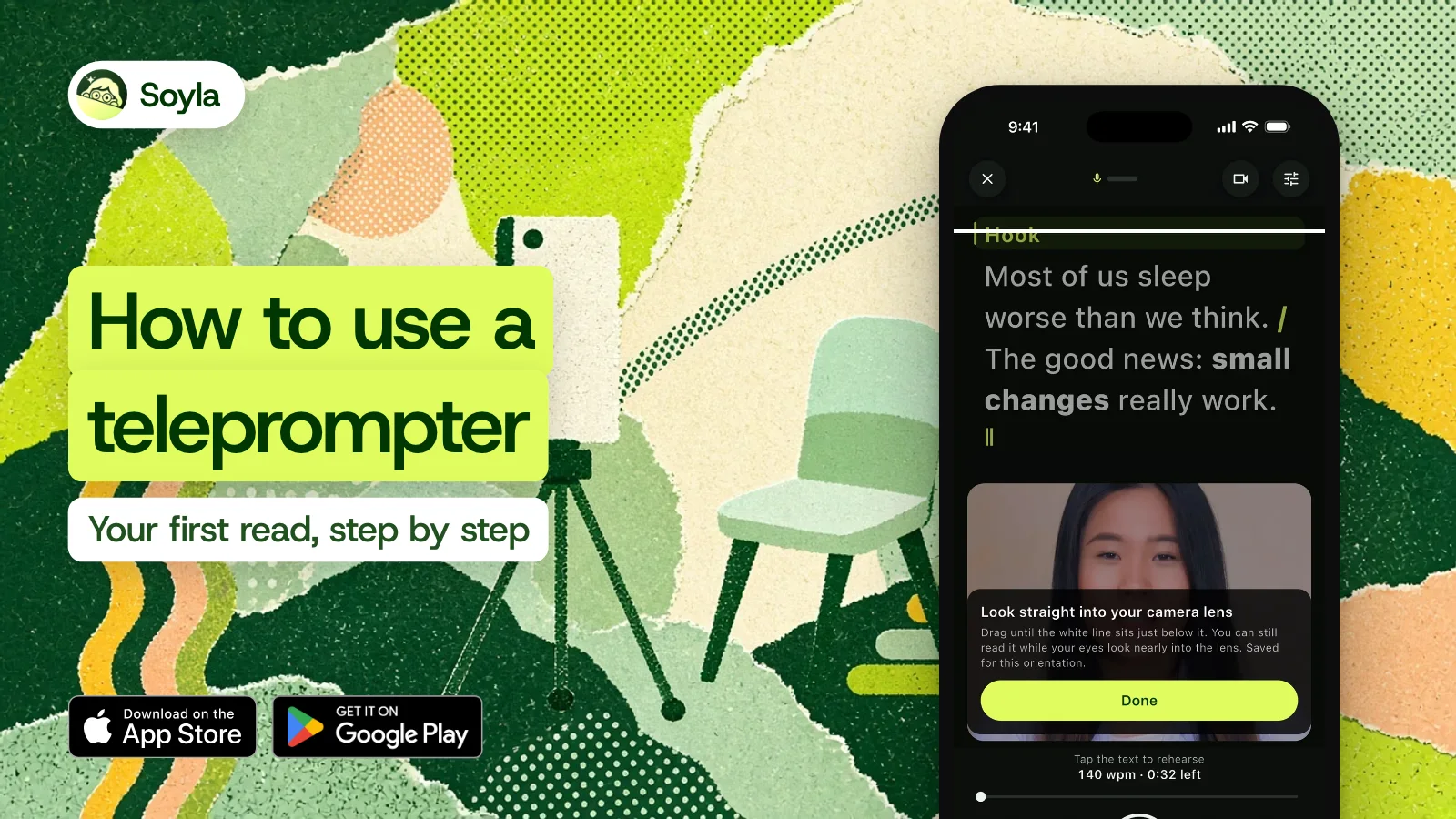
In Soyla, drag the reading line until it sits just below your lens. Soyla remembers the position for portrait and landscape separately. You can use the full screen, the top half, or the top third, whichever keeps the text nearest the camera on your device.
If you use a teleprompter with beam-splitter glass, mirror the text so it reads correctly on the glass. Soyla can do this, and the video is never mirrored.
Make the text big enough#
If you lean in or squint, you’ll move out of frame and look tense. Set the text large enough to read comfortably from arm’s length, which is a practical starting distance for a phone on a stand.
A narrow column helps too: your eyes stay near the center of the screen instead of sweeping left to right, and the movement is less visible on camera.
In Soyla you can adjust text size and column width in the reading settings, and a focus band or marker highlights the current line so you don’t lose your place.
Start at 140 words per minute#
Set the scroll to 140 words per minute. That’s the starting pace we recommend. If the scroll runs ahead of you, slow it down. Don’t chase it. Trying to keep up with a pace that’s too fast is what makes a read sound rushed and robotic.
If you aren’t sure of your natural pace, Soyla’s Find your pace asks you to read a short passage aloud and times it, pauses included, then offers that as your setting. You can also read more about choosing a speaking pace.
You don’t have to use a fixed speed at all. Soyla can follow your voice: the script keeps up as you talk, eases to a stop when you pause, and picks up when you continue. You can also scroll by hand, stepping line by line with a tap, drag, or a Bluetooth remote.
Read it aloud once before you record#
The single best thing you can do before a take is one full read-through out loud. You’ll catch awkward phrases, find the spots where you stumble, and settle into the rhythm of the words. Silent reading doesn’t count. Your mouth needs to form the sentences once before the camera rolls.
Soyla’s Practice aloud lets you rehearse with sound only and listen back. Practice reads are deleted when you close them, so there’s nothing to clean up. After a read with voice following, Soyla offers the pace you actually spoke at as your words-per-minute setting, which is a more honest number than a guess.
To sound like you’re talking rather than reading, there’s a separate guide on reading a teleprompter naturally.
Your first real take#
Once the position, text, and pace feel right, start recording. In Soyla, the script stays on screen while you record, and you can pause or repeat a section while the video keeps rolling.
If you stumble, start a retake from any sentence instead of going back to the top. The take can even stop on its own a few seconds after your last line.
After the take, trim the quiet before your first word and after your last, reshape for vertical, square, or wide, and share. There’s no watermark and no overlay.
If you want to try a read before installing anything, the free online teleprompter runs in a modern browser on any computer or phone. Paste your script, set 140 words per minute, and see how it feels. When you’re ready for recording, Soyla on your iPhone or iPad puts the camera and the teleprompter in the same app.
Frequently asked questions
How does a teleprompter work?
A teleprompter scrolls your script near the camera lens so you can read while looking straight at the viewer. On a phone, the text moves on screen just below the front camera. On a professional setup with beam-splitter glass, the text reflects off the glass so you read it while the camera films through it.
How far should I sit from a teleprompter?
Arm’s length on a stand is a practical start for a phone. What matters more is how close the words are to the camera. A small Stanford study suggests keeping what you look at within about 1 inch of the lens on a screen a foot away. Keep the scrolling text right below the camera.
Can I use my phone as a teleprompter?
Yes. Put your phone on a stand at eye level and use a teleprompter app that places the script near the front camera. Soyla shows the words at the top of the screen, records video with the script visible, and works on iPhone, iPad, Mac and Android. You can also try Soyla’s free online teleprompter in a modern phone browser.