
Everything Soyla does.
Soyla is a teleprompter for iPhone, iPad, Mac and Android that scrolls your script, follows your voice and records video with your eyes near the lens. Here is every feature, shown on the app’s own screens.
Updated


Try the reading screen.
Try the steady pace right here. Voice following runs in the app, where Soyla listens on your device.
Script
Text size
Mirror for a rig
Paused.
 Write
An editor made for the spoken word.
Write or paste a script, or open one from a document. Plain text works as it is. When you want more, sections, pauses, breaths and emphasis are a tap away, with no syntax to learn.
- Section labels. Label each part of your script. Labels are shown while you read, never read aloud.
- Pauses and breaths. A pause holds the scroll for a second, or longer if you ask. A breath mark reminds you to breathe and takes no time.
- Emphasis and stage directions. You mark words to stress in bold. You write notes to yourself, like “smile, then pause”, in italics, and Soyla never counts them as speech.
- Pronunciation notes. How to say a name or a tricky word, shown small beside it, right where you need it.
- Speakers, bullets and bookmarks. Mark who says each line, talk from bullet points one at a time, and set bookmarks to jump back to.
- Open a document. Start from Word (.docx), RTF, Markdown or plain text. Headings, bullets, bold and italic come along. The file is read on your device and not kept.
- Honest timing. Word count and speaking time count only the words you say, not your notes and labels.
- Earlier versions. Edits save as you type, with undo and redo. Soyla keeps the version you recorded each take with, so you can compare any two and restore one.

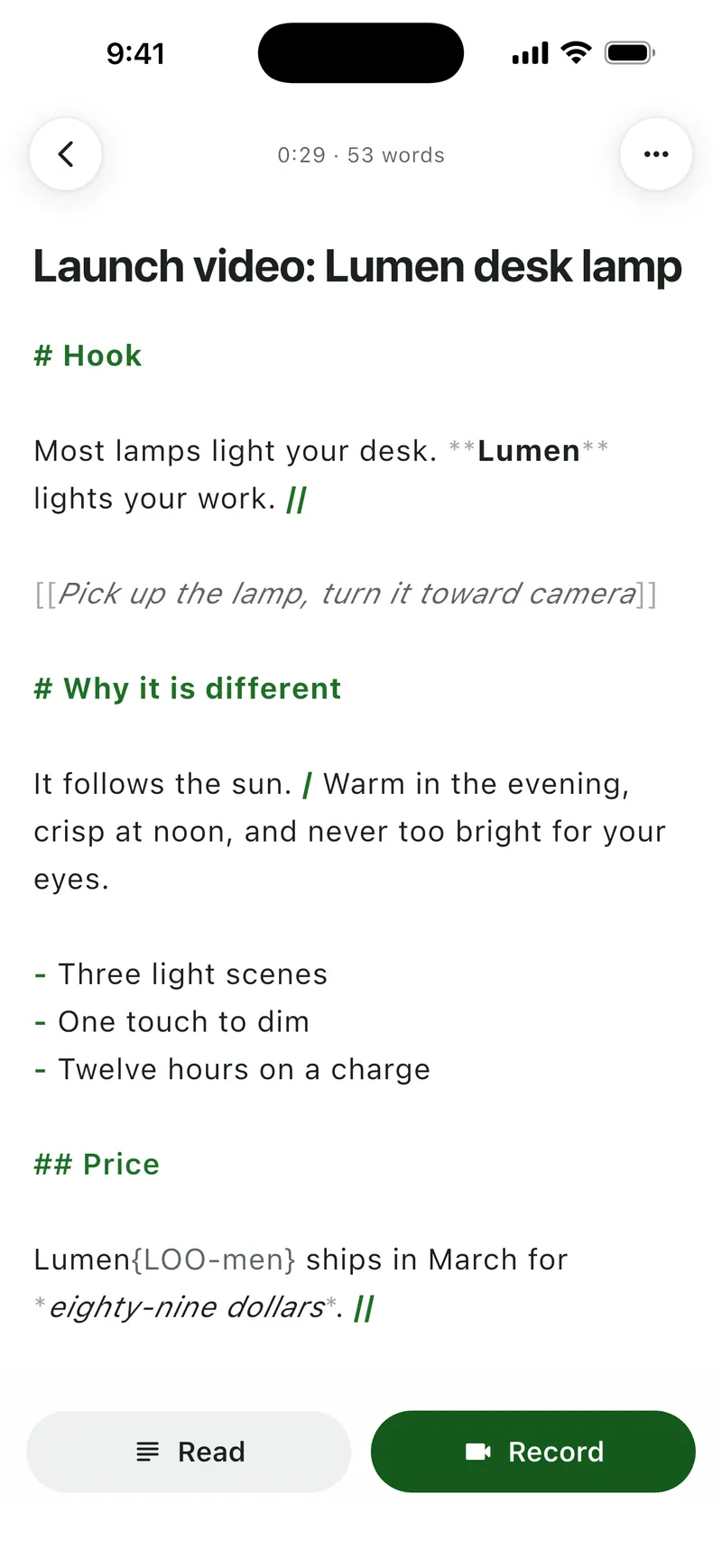
Sections, pauses, directions and a pronunciation note 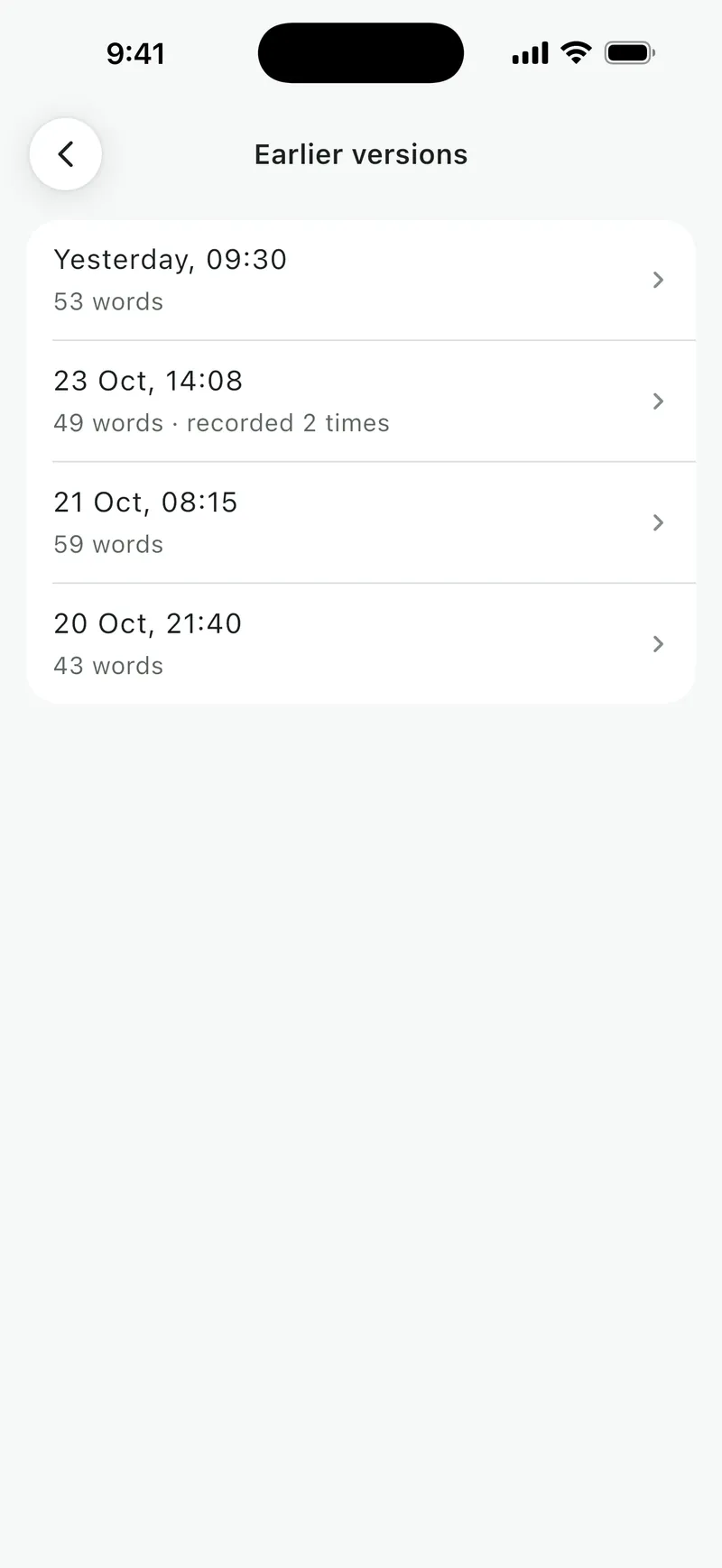
Earlier versions, with how often each was recorded 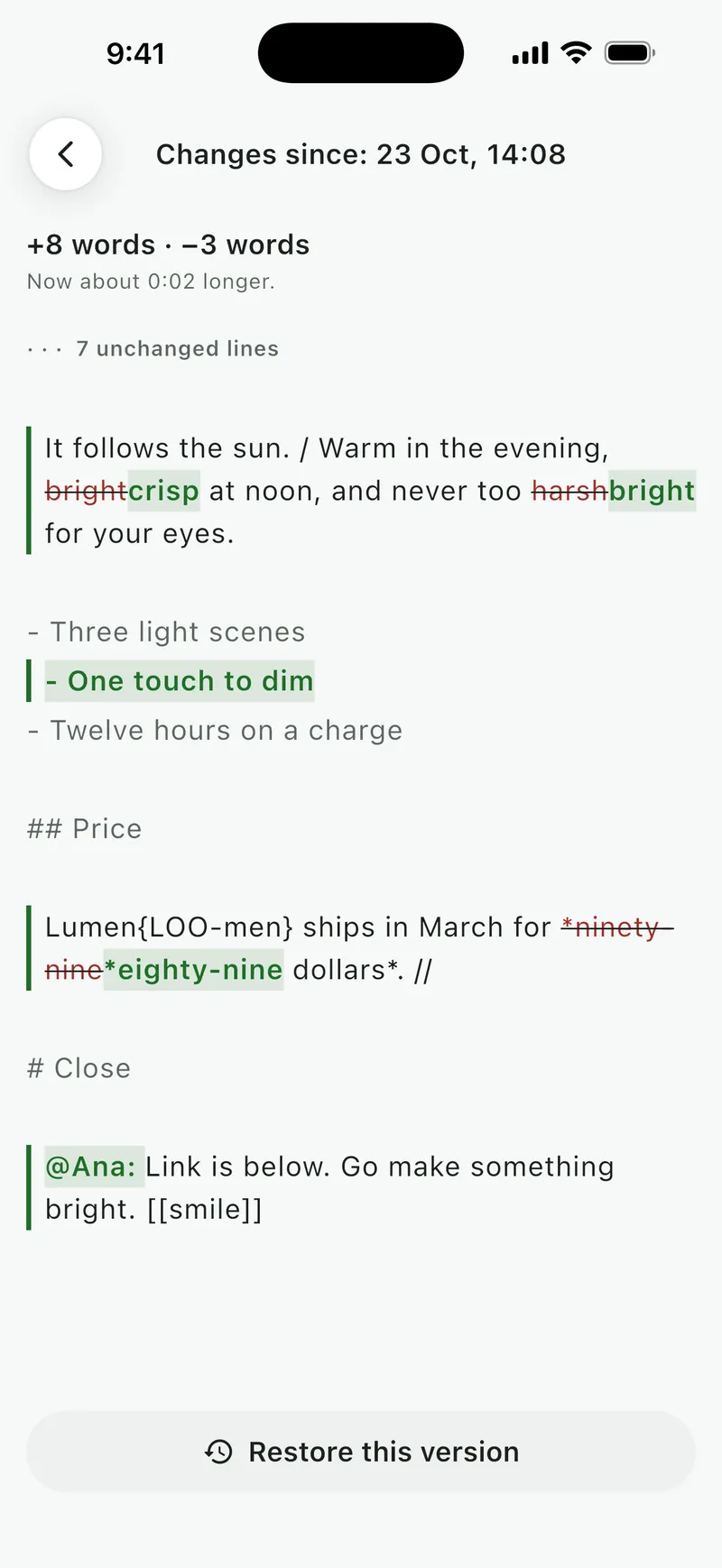
What changed since a recorded version


 Read
Large, clear text for reading aloud.
Your script sits near the lens, so your eyes stay close to the camera. Size, typeface, colors and spacing open right over the script, so every change previews on your own words.
- Near the lens. The words sit at the top in portrait and on the camera’s side in landscape. Use the full screen, the top half or the top third.
- Line up with your camera. Drag a line until it sits just below your lens. Soyla remembers it for each orientation.
- Type that suits you. Text size, sans, serif or mono, line spacing, space between paragraphs and column width.
- Easy on your eyes. Soft dark, high contrast or light. A focus band or marker shows your line, and lines already read can fade.
- Scroll, or one paragraph at a time. Read a flowing script, or step through it card by card, which suits talking from notes.
- Ready for a rig. Mirror the text for beam-splitter glass, such as the phone and tablet teleprompters from Glide Gear, NEEWER, Desview and Parrot, or flip it upside down. Your video is never mirrored.

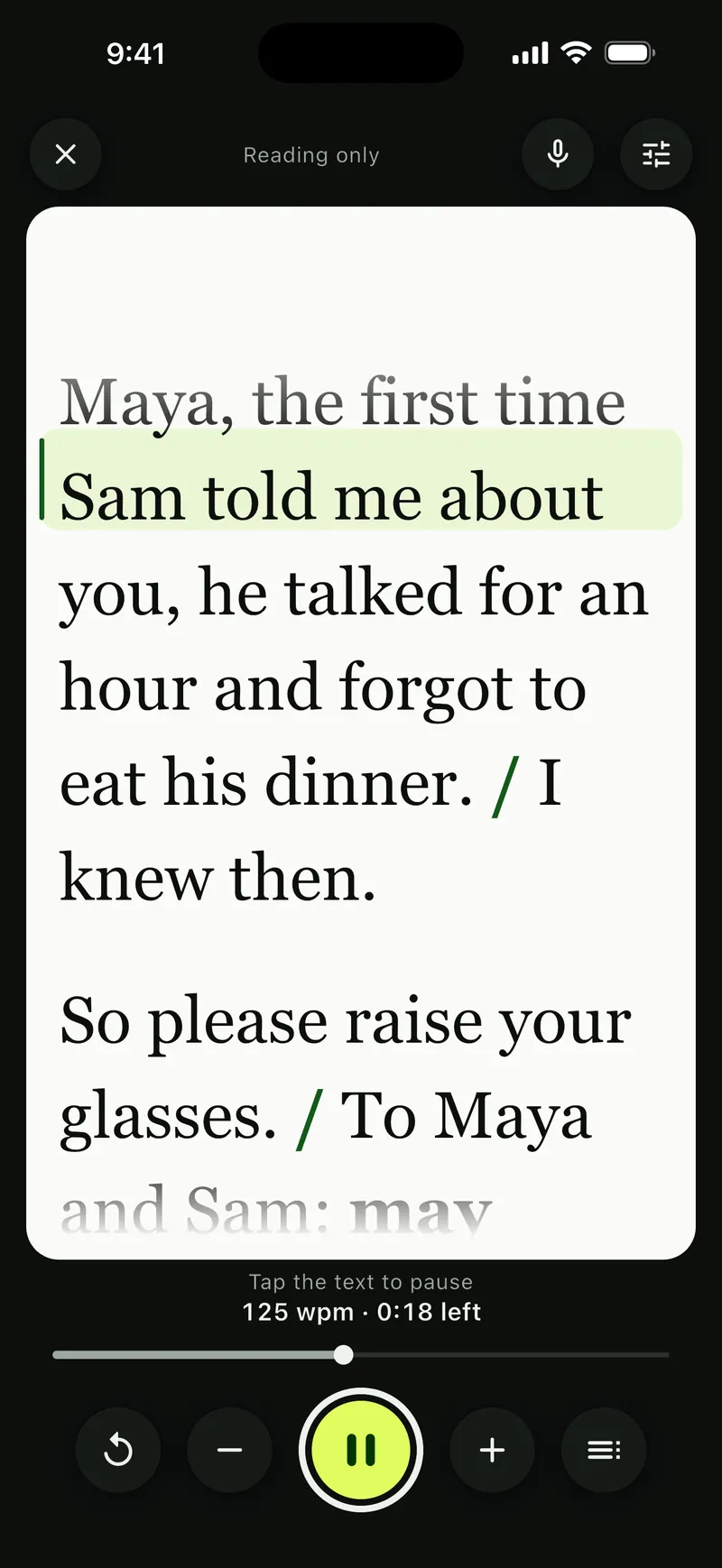
Light, serif, and lines already read faded 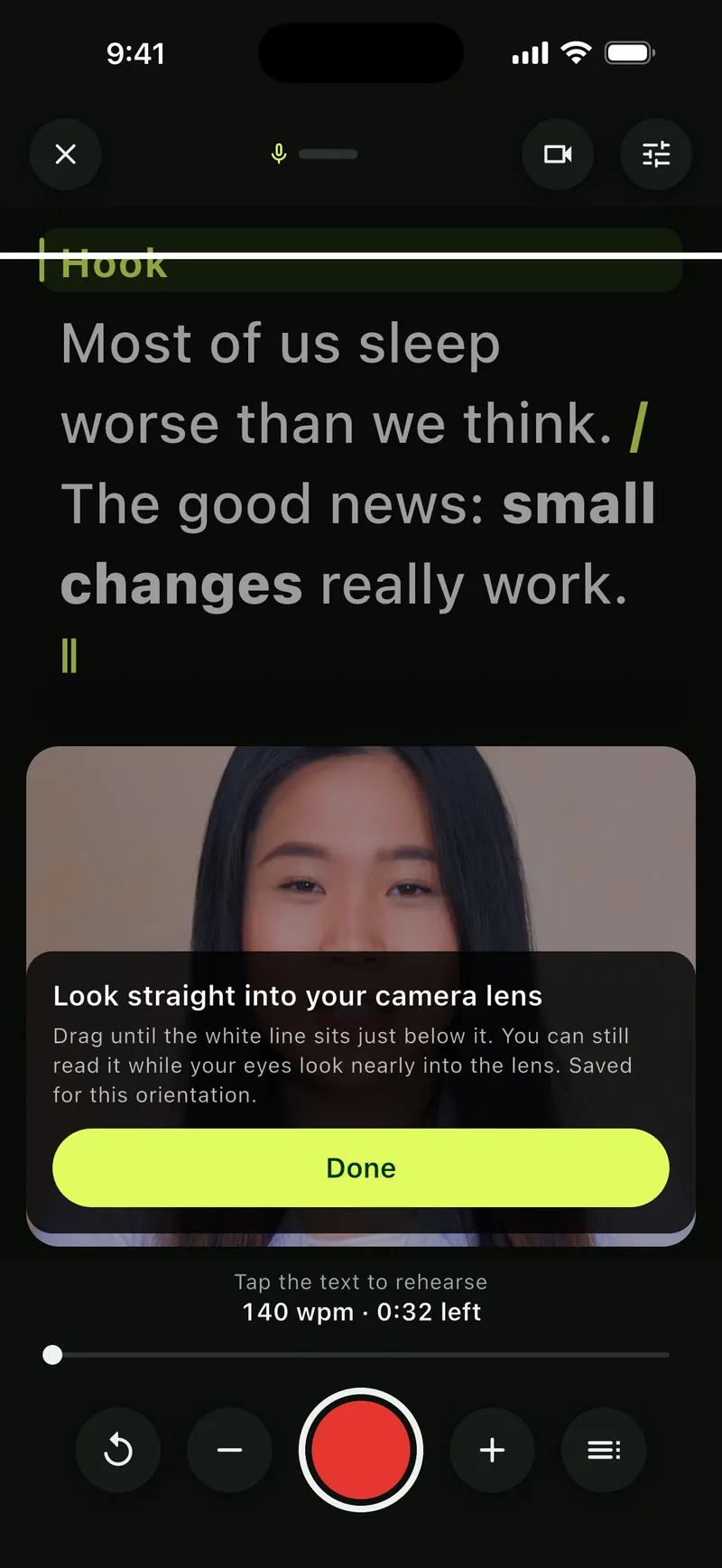
Line up the words with your camera 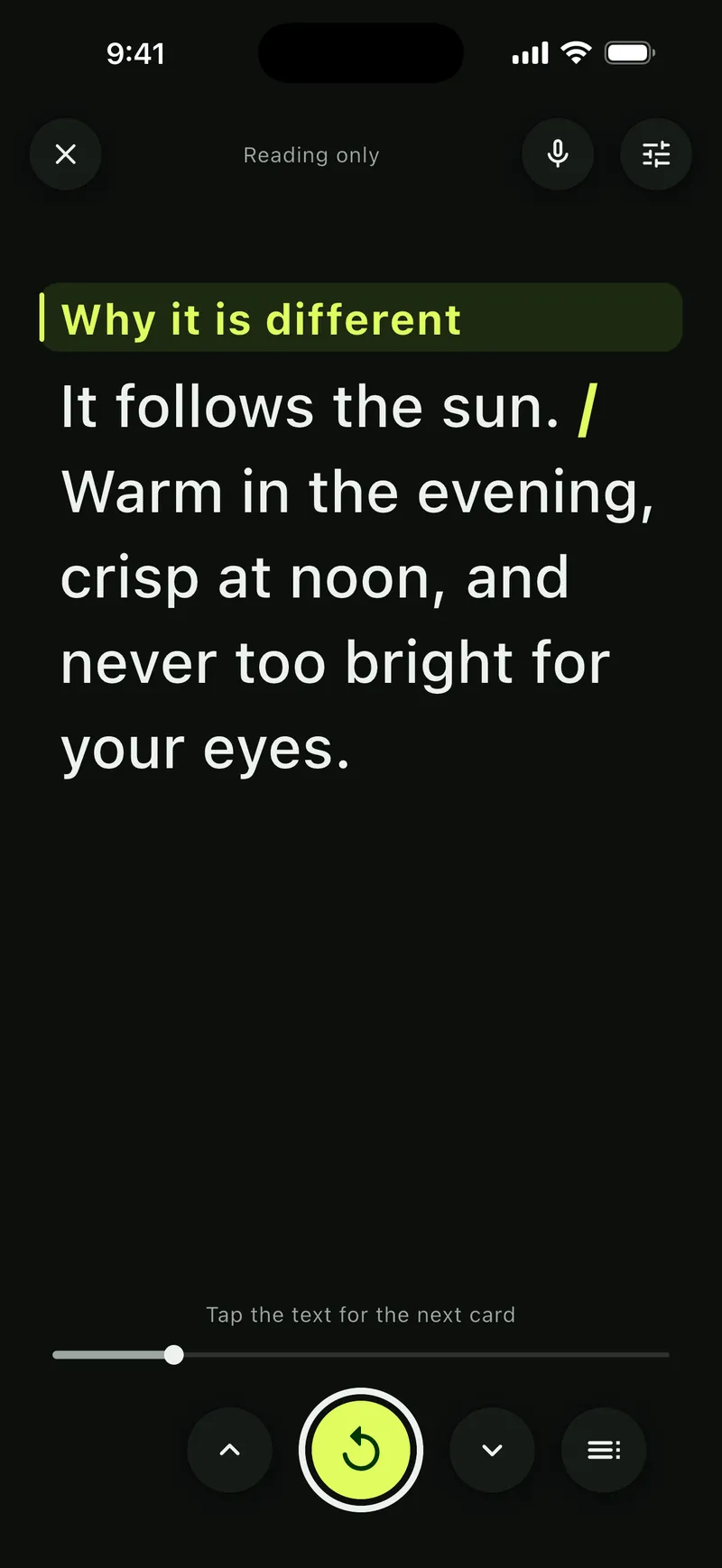
One paragraph at a time 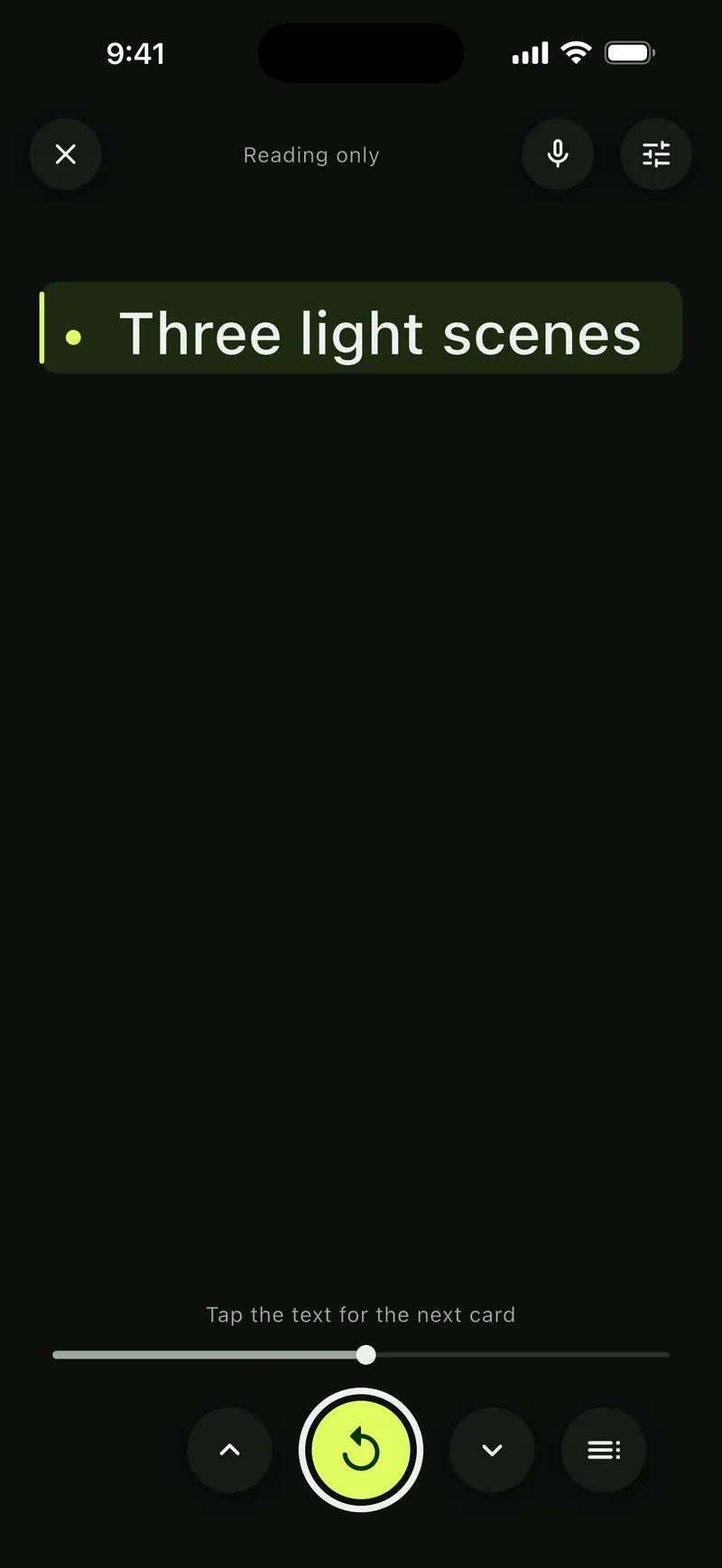
Or one bullet point at a time


 Pace
Move the script your way.
At a steady pace you choose, by hand, or following your voice. Change your mind at any moment, even while recording.
- A steady pace. From 50 to 260 words per minute, by lines per minute, or to finish in a set time. Scripts in Chinese, Japanese and Korean pace by characters.
- Find your pace. Read a short passage aloud at a natural speed. Soyla times it, pauses included, and offers it as your pace.
- By hand. Tap the text to start or pause, drag it to go back or skip ahead, or step line by line.
- Jump and repeat. Jump to a section or bookmark, repeat a sentence, or rehearse a section on a loop.
- Keyboards and remotes. Space starts and pauses, arrows or Page Up and Down move a line, R repeats the sentence, + and − change the pace. Presentation clickers work too.
- Always know where you are. A countdown before you start, your pace, and the time left, always in view.

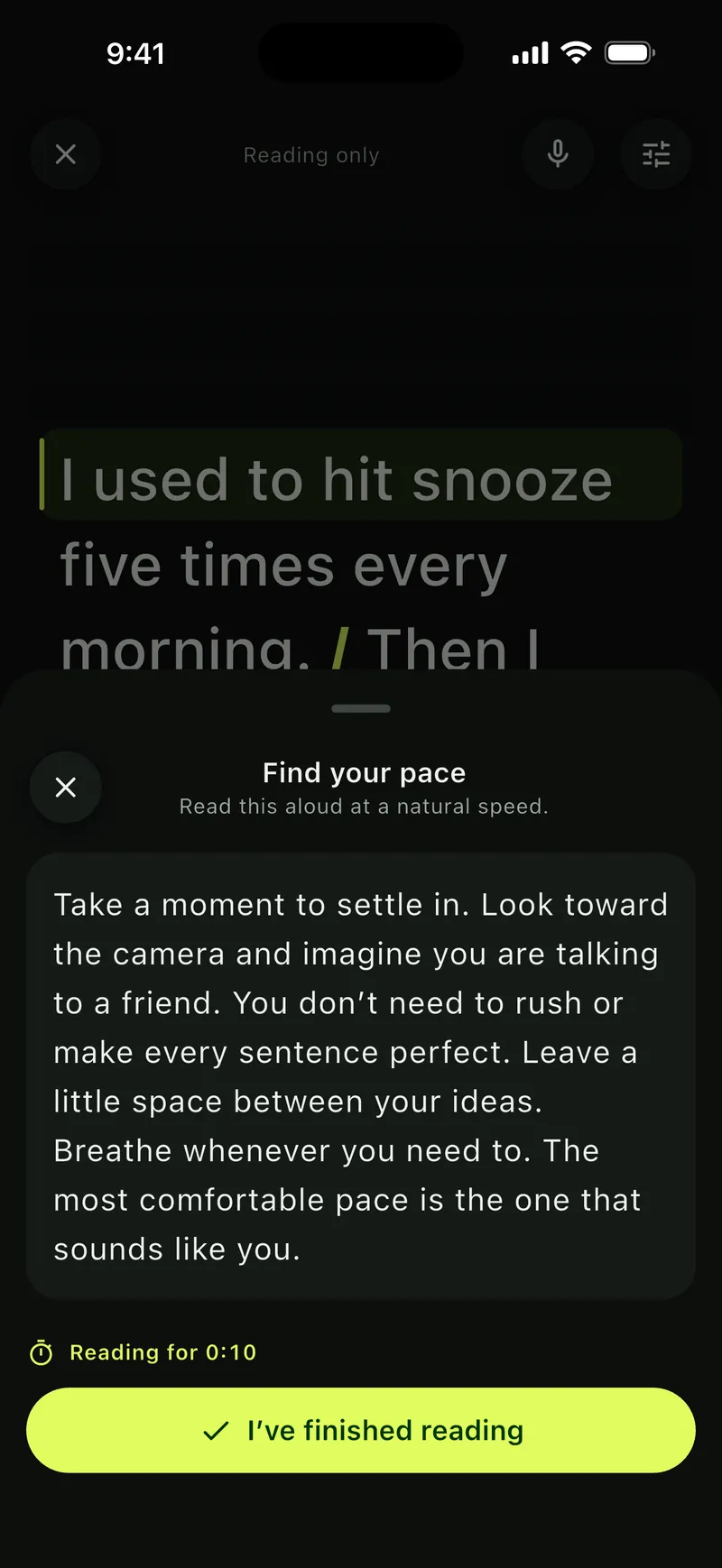
Read a short passage aloud 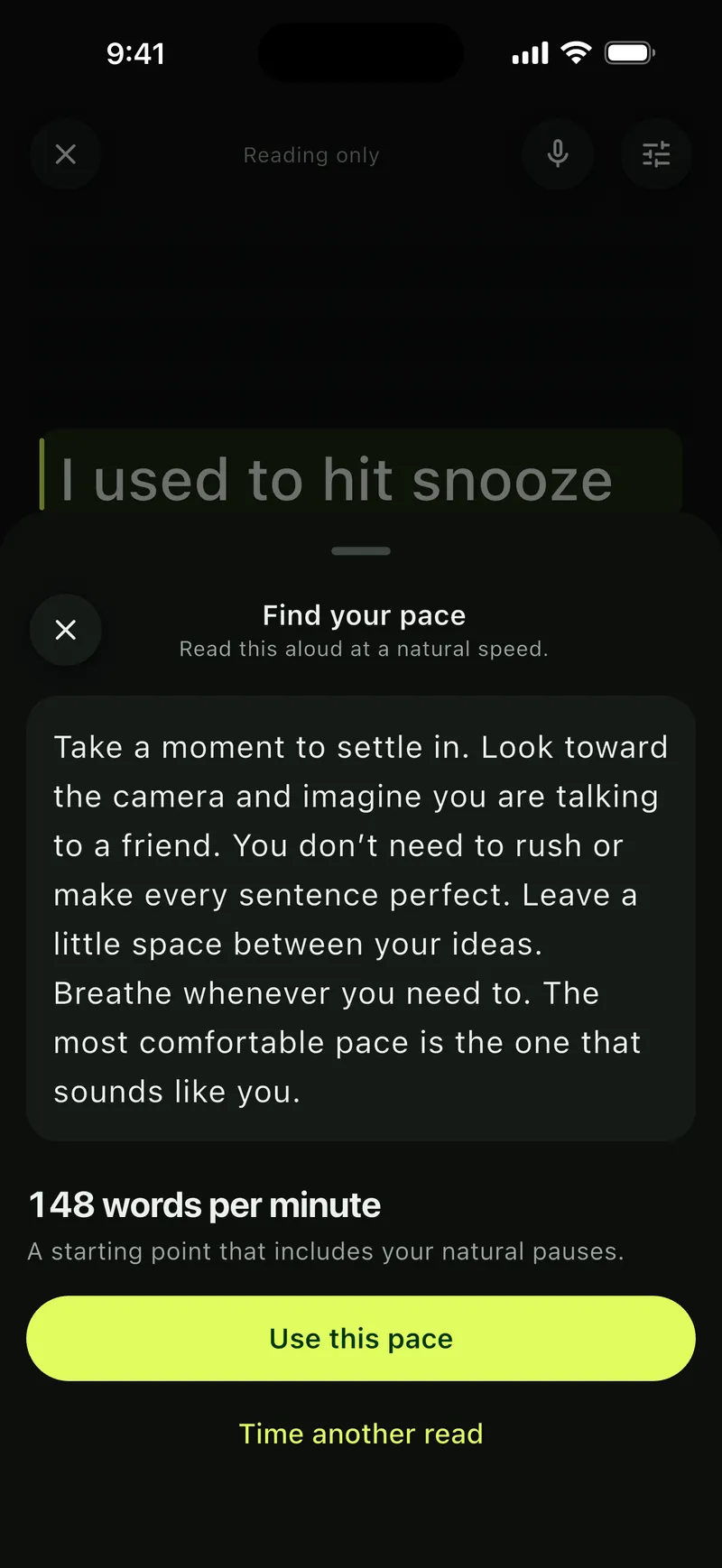
Soyla offers your natural pace 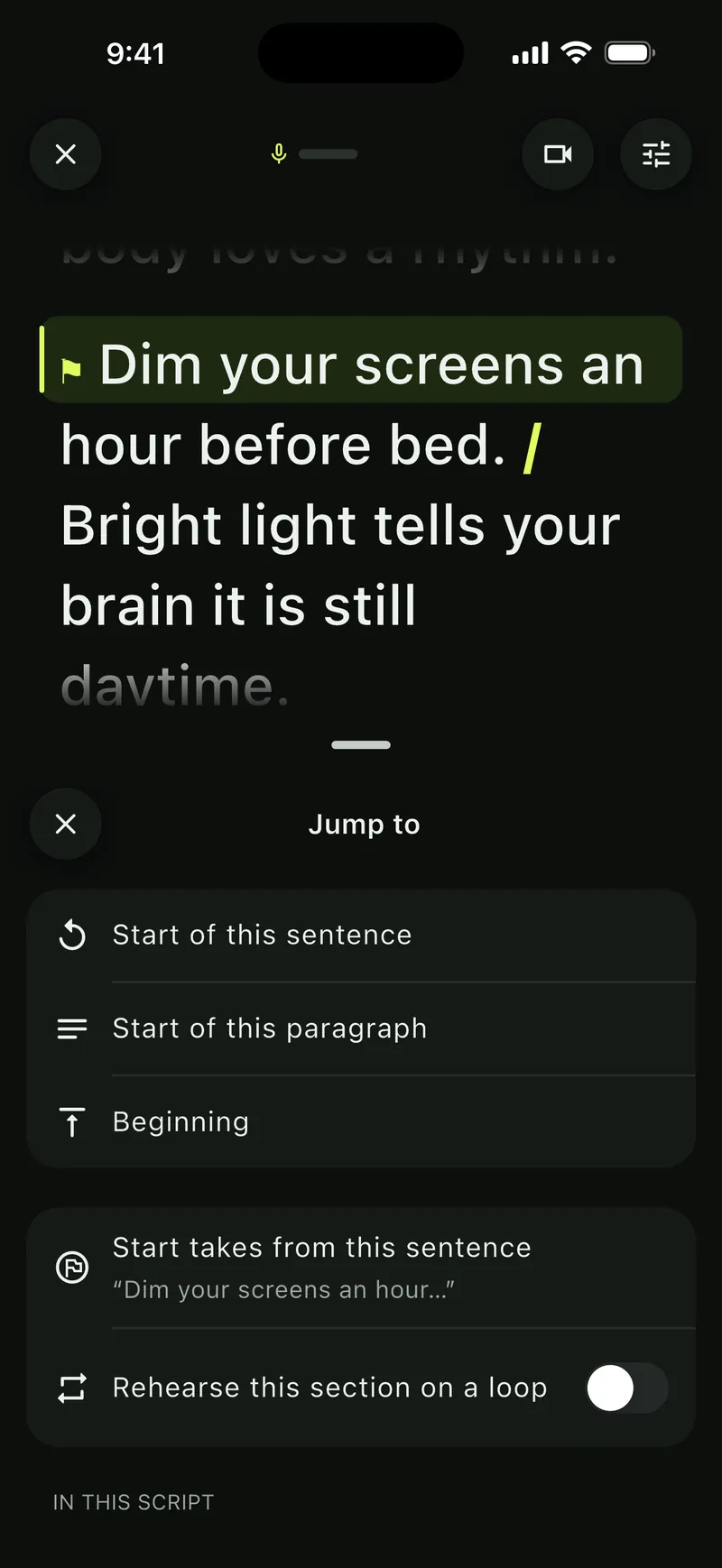
Go back, repeat, or rehearse a section


 Voice
Scrolls at the pace you speak.
Turn on voice following and Soyla keeps the script in step as you talk. Soyla waits when you pause and holds when you go off script. Your device recognizes your voice and never sends it anywhere.
- Waits for you. Pause to think, take a breath, go off script for a moment. The script holds until you pick up again.
- Tap to take over. Tap any line to carry on from there, or drag the script whenever you like.
- Asks before it jumps. If it hears your words further on, it offers to jump there instead of leaping on its own.
- Plain about what it hears. Confident, fairly sure or unsure, in plain words, so you know when to trust it.
- On your device, offline. Install your language once and voice following works without a connection. Where the device can’t recognize speech itself, voice following stays off instead of going online.
- Learns your pace. After a read, the pace you spoke at is offered as your words-per-minute setting.

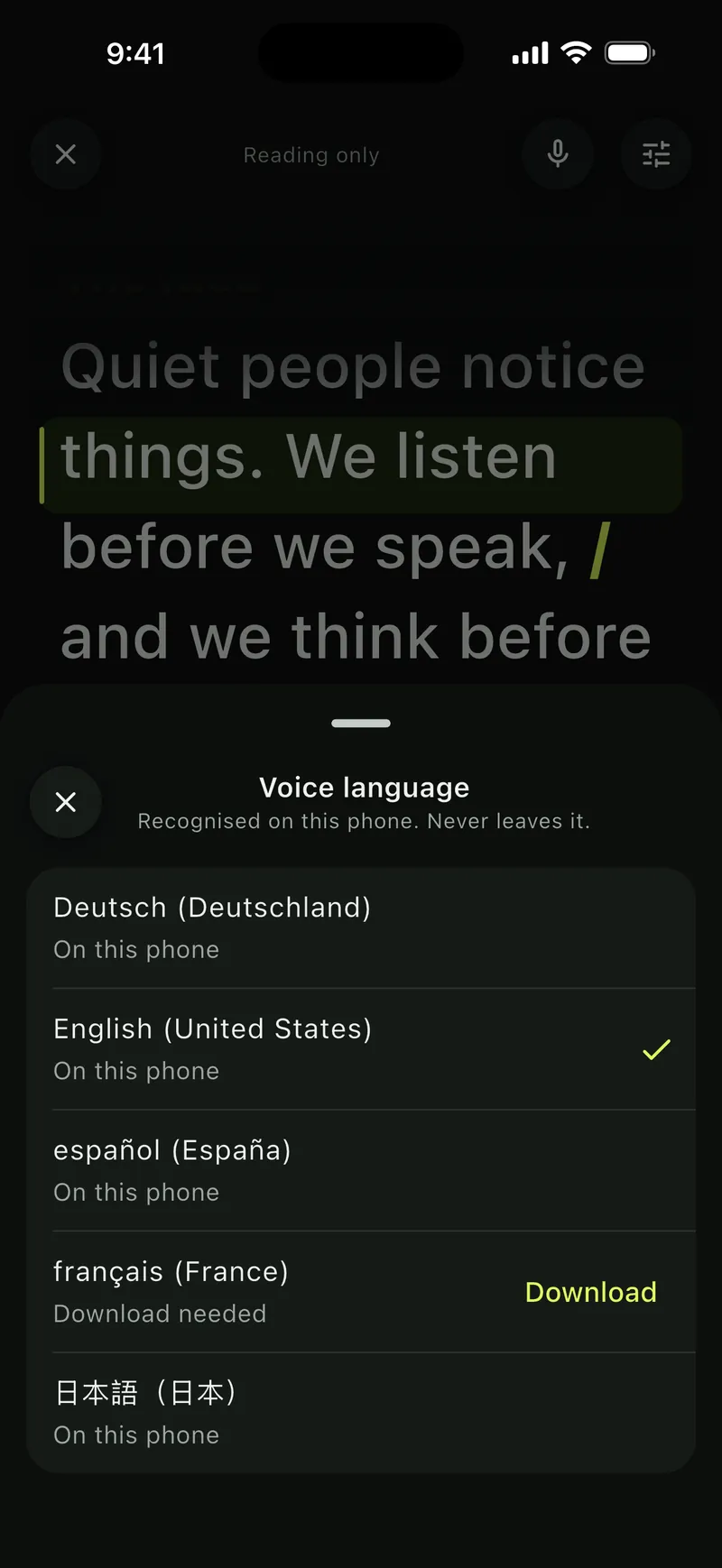
Recognised on this phone. Never leaves it. 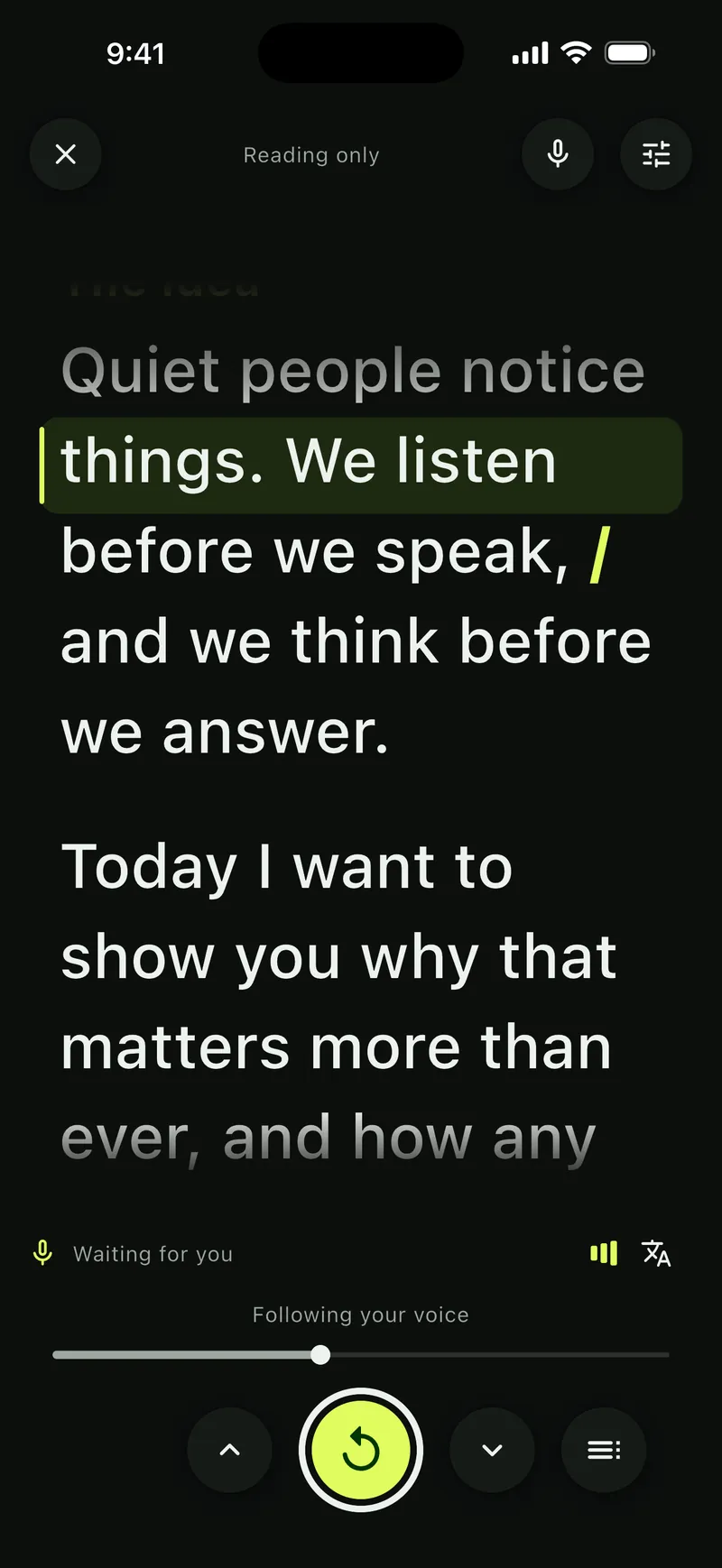
Waiting for you while you pause 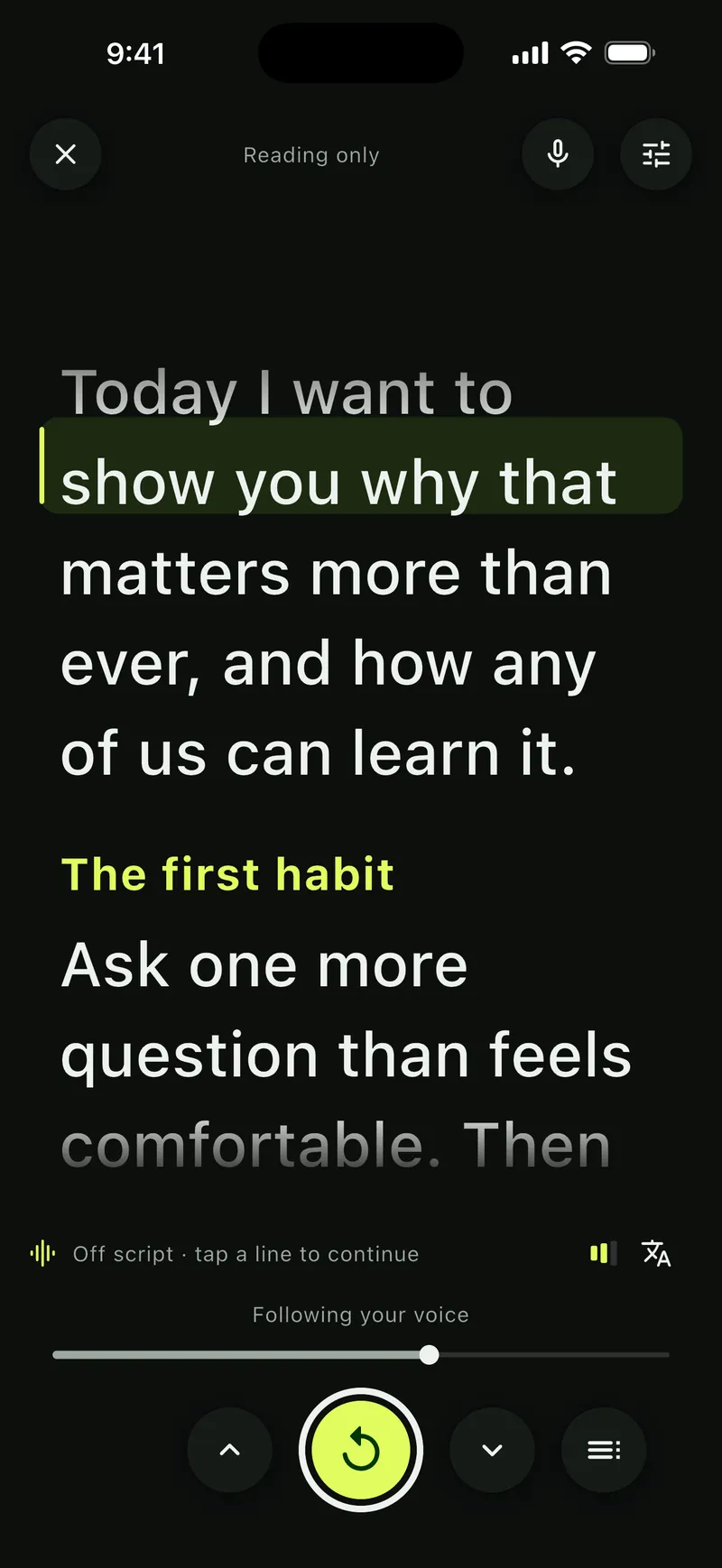
Holding while you go off script


 Record
Keep eye contact while you read.
Record with your script on screen and your eyes near the lens. Pause or repeat the script while the video keeps rolling, and start a retake from any sentence.
- Your camera, your settings. Front or back camera, zoom, and 720p, 1080p or 4K at up to 60 frames per second where your camera allows, with smaller video files. Tap to focus, lock focus and exposure, and set exposure and white balance yourself, where supported.
- Hear yourself first. A live level meter, the microphone in use, and a five-second sound check. Plug in a wired or USB microphone and choose it.
- Warned in time. Soyla tells you when it can’t hear you, when the sound is too loud, and when a take is almost silent.
- Retakes from any sentence. Start a take from the sentence you want instead of the top.
- Stops on its own. Let the take end a few seconds after your last line, once you’ve gone quiet.
- Framing guides. Thirds, center, or the safe area social apps keep clear. Mirror your preview if you like; takes are saved as others see you.
- Practice aloud. Rehearse with sound only, listen back, and let it go. Practice reads are deleted when you close them.
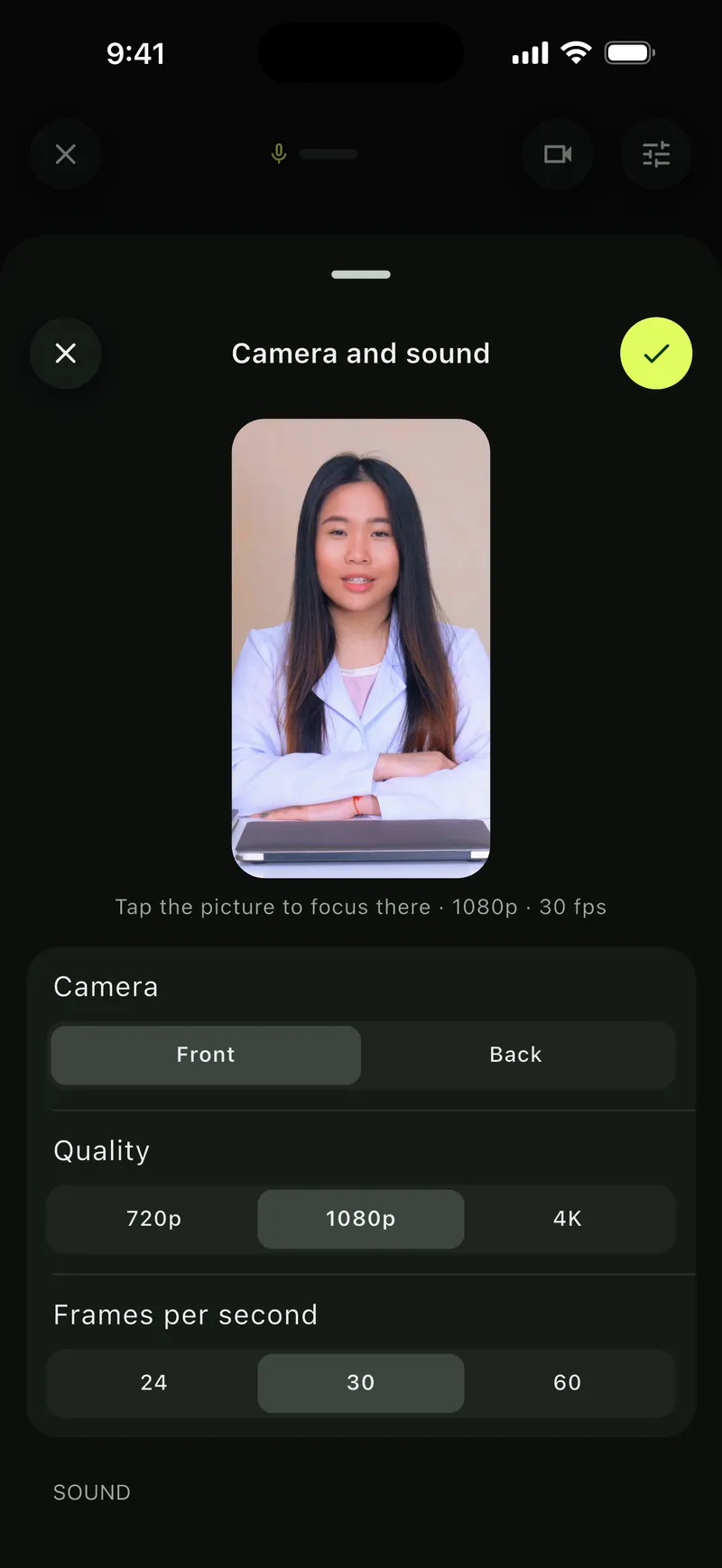
Front or back camera, resolution and frame rate 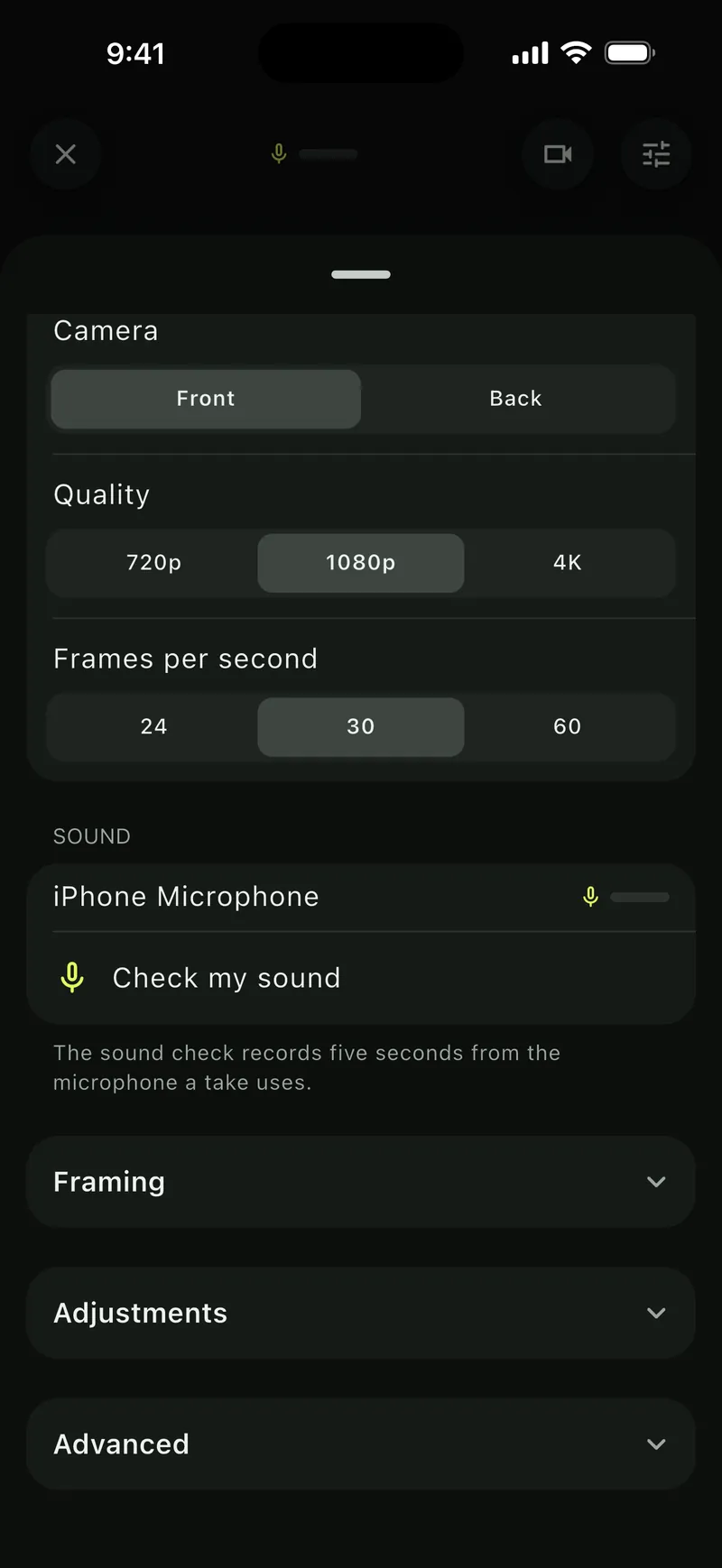
Check your microphone before you start 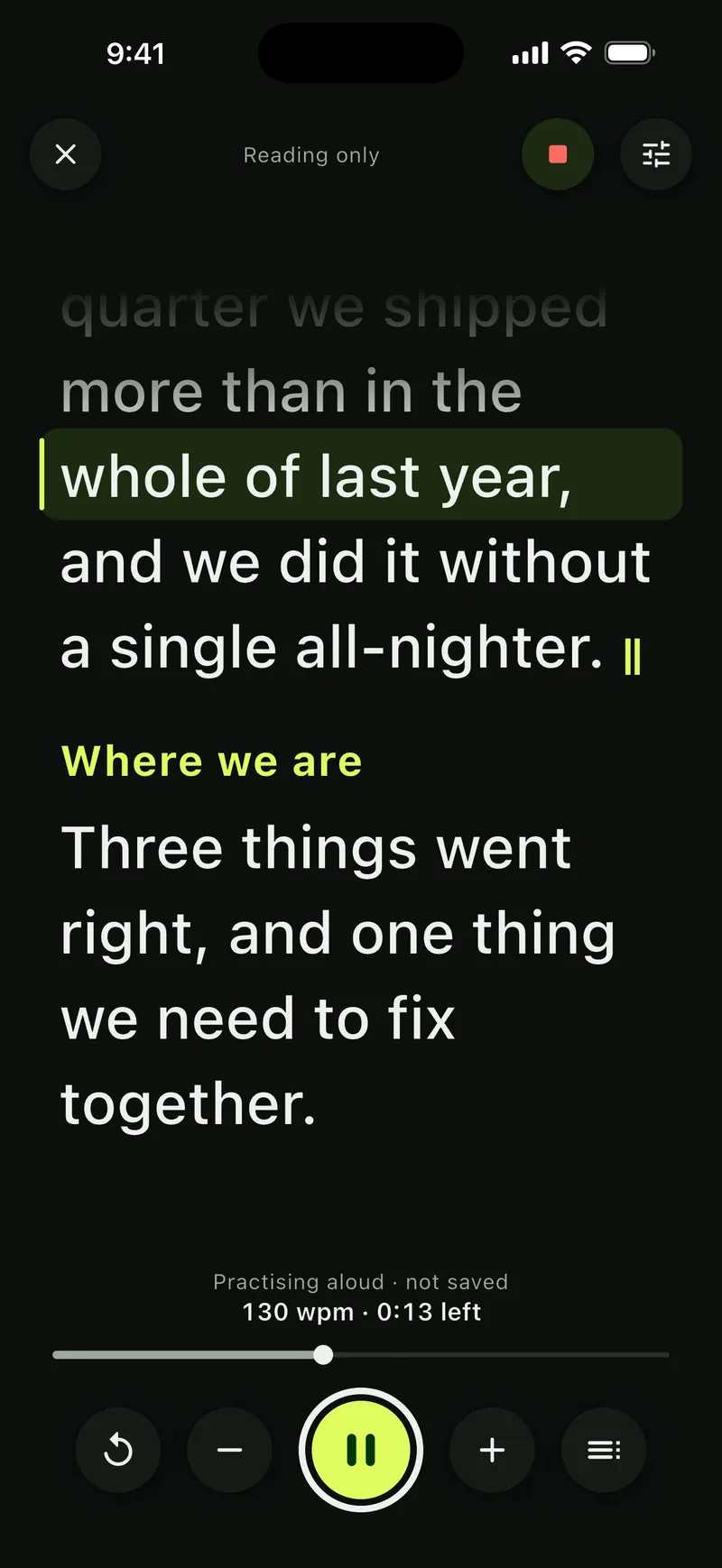
Practice aloud, with sound only 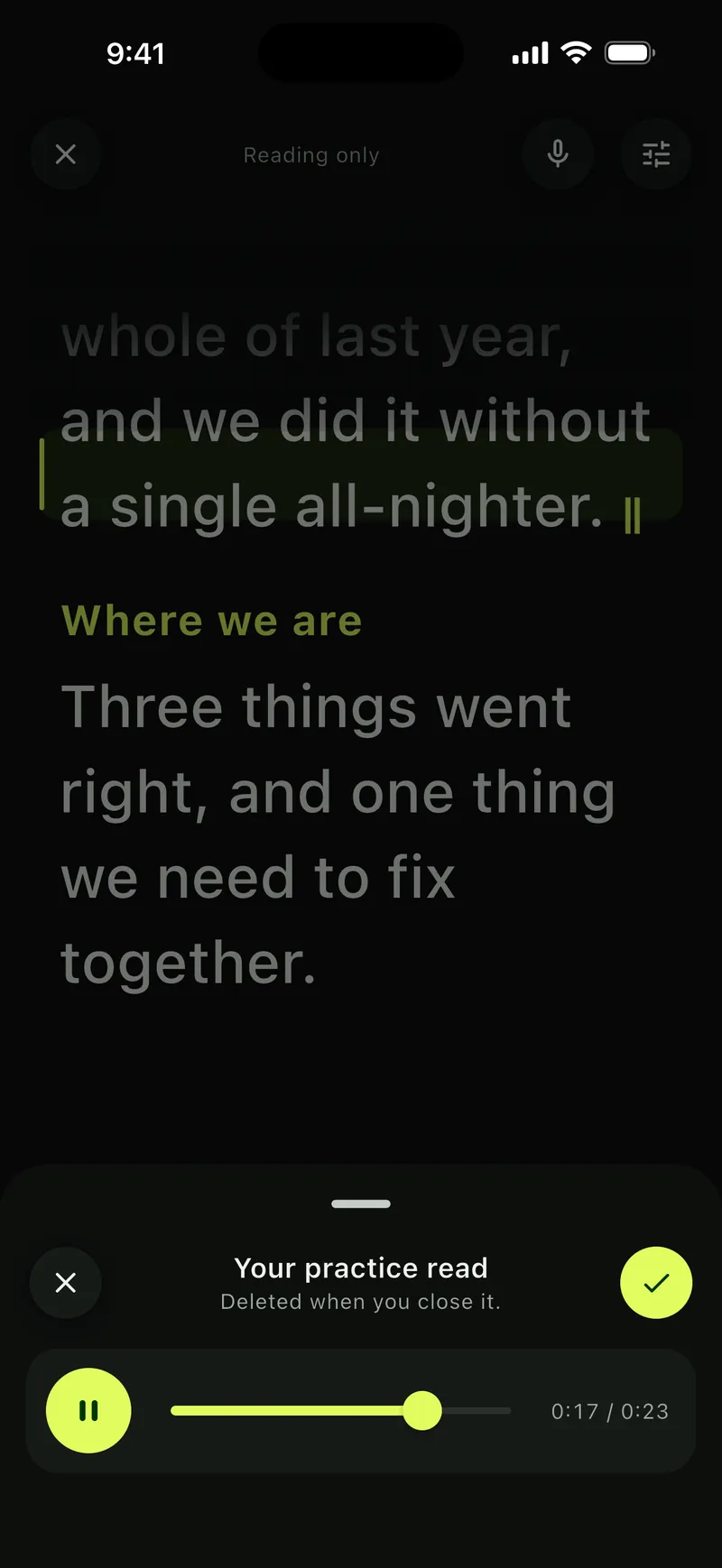
Listen back. It’s deleted when you close it.


 Share
Ready to post, in every format.
Play back a take, keep it or record again. Trim it, reshape it for any feed, and share it. Your original is never changed, and your videos never carry a watermark.
- Each take is checked. Soyla flags silence, sound that is too loud and quiet takes before you share.
- Trim the quiet. Two handles, and Soyla offers to cut the quiet before your first word and after your last.
- Every shape. Vertical 9:16, square, 4:5 and wide 16:9. Drag the picture to frame it.
- Level and clean your sound. Even out loudness to the level most videos online use (−16 LUFS), and turn down steady hum and hiss.
- Quality, mirror and cover image. Choose the quality, mirror the video, and save a cover image for your thumbnail.
- Share or save. Hand it to any app through the share sheet, or save it to Photos or your gallery. No overlay, no watermark.

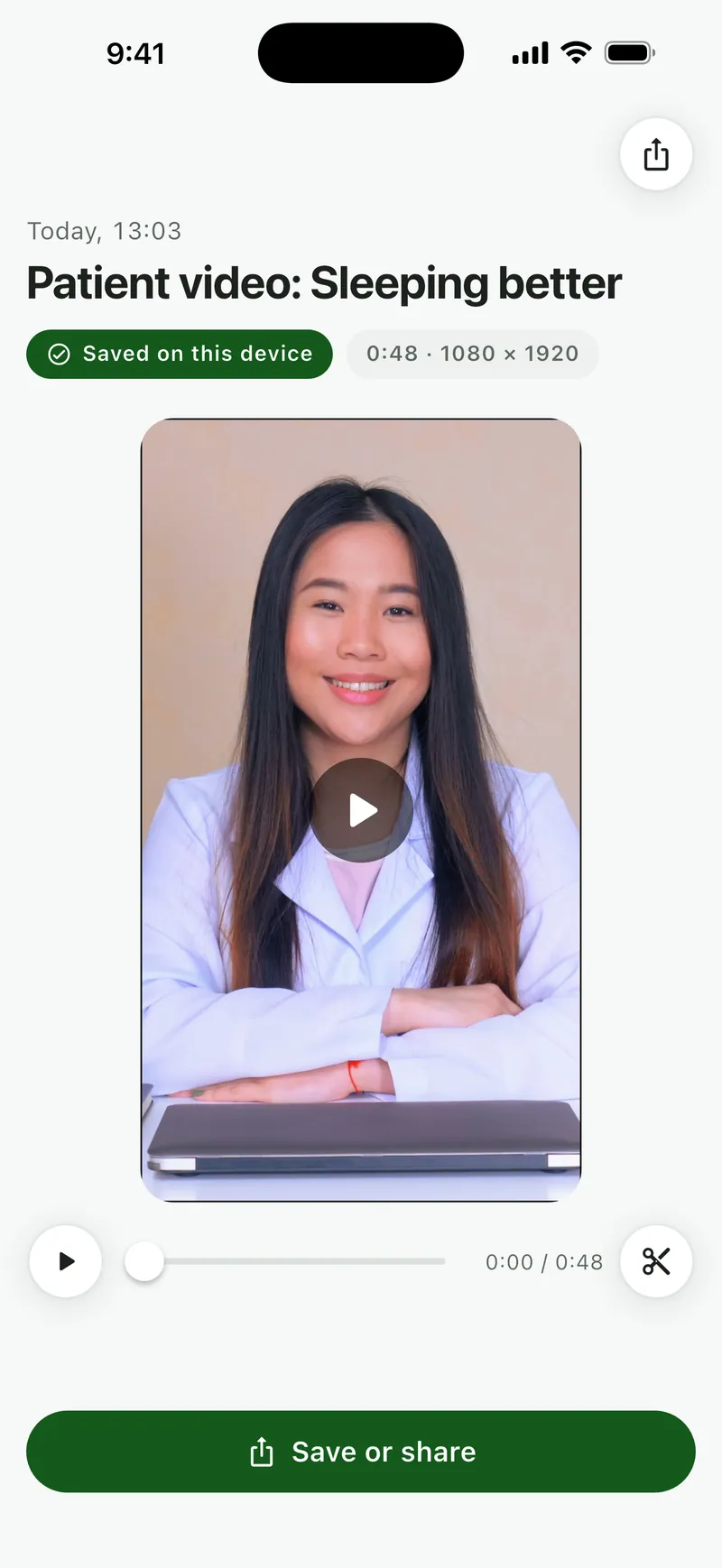
Keep the take, or record again 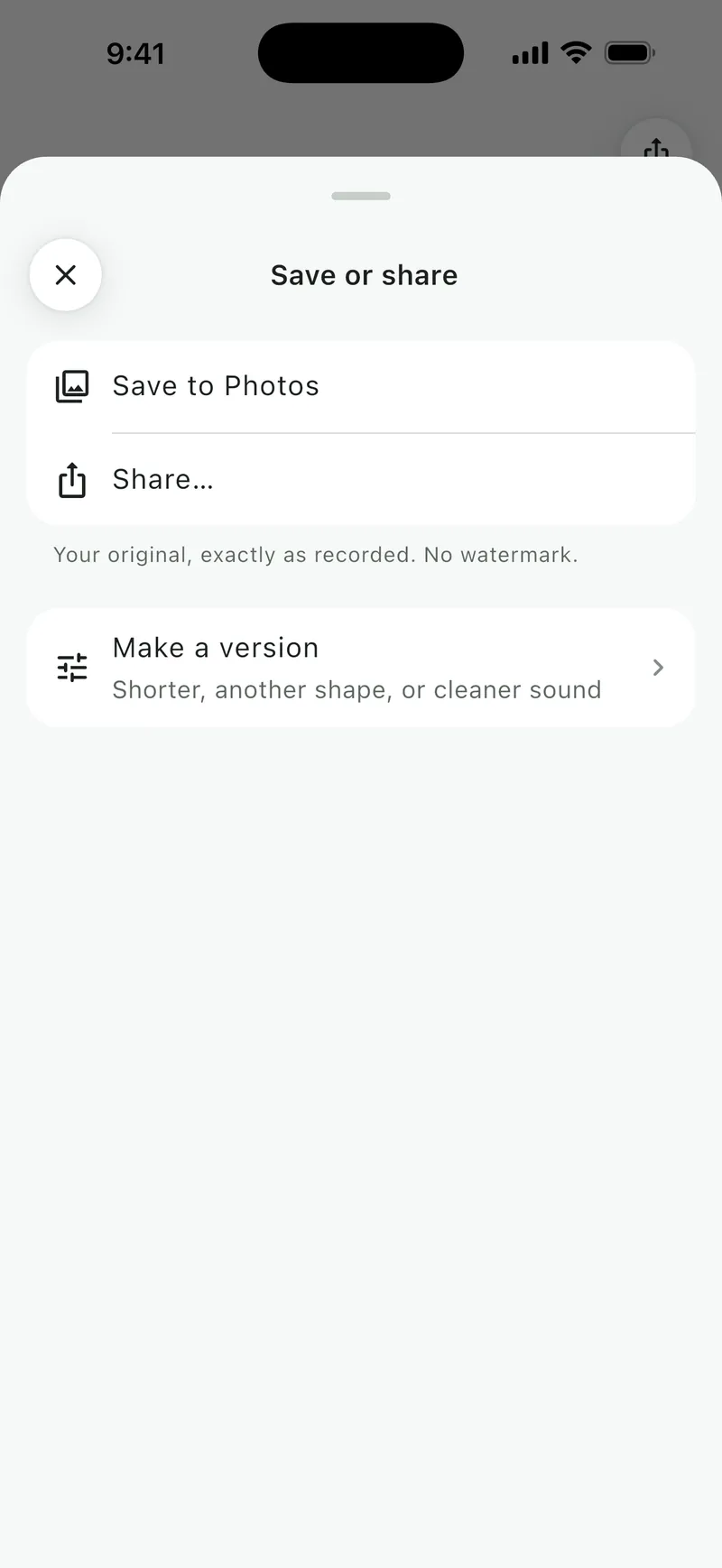
Save to Photos, share, or make a version 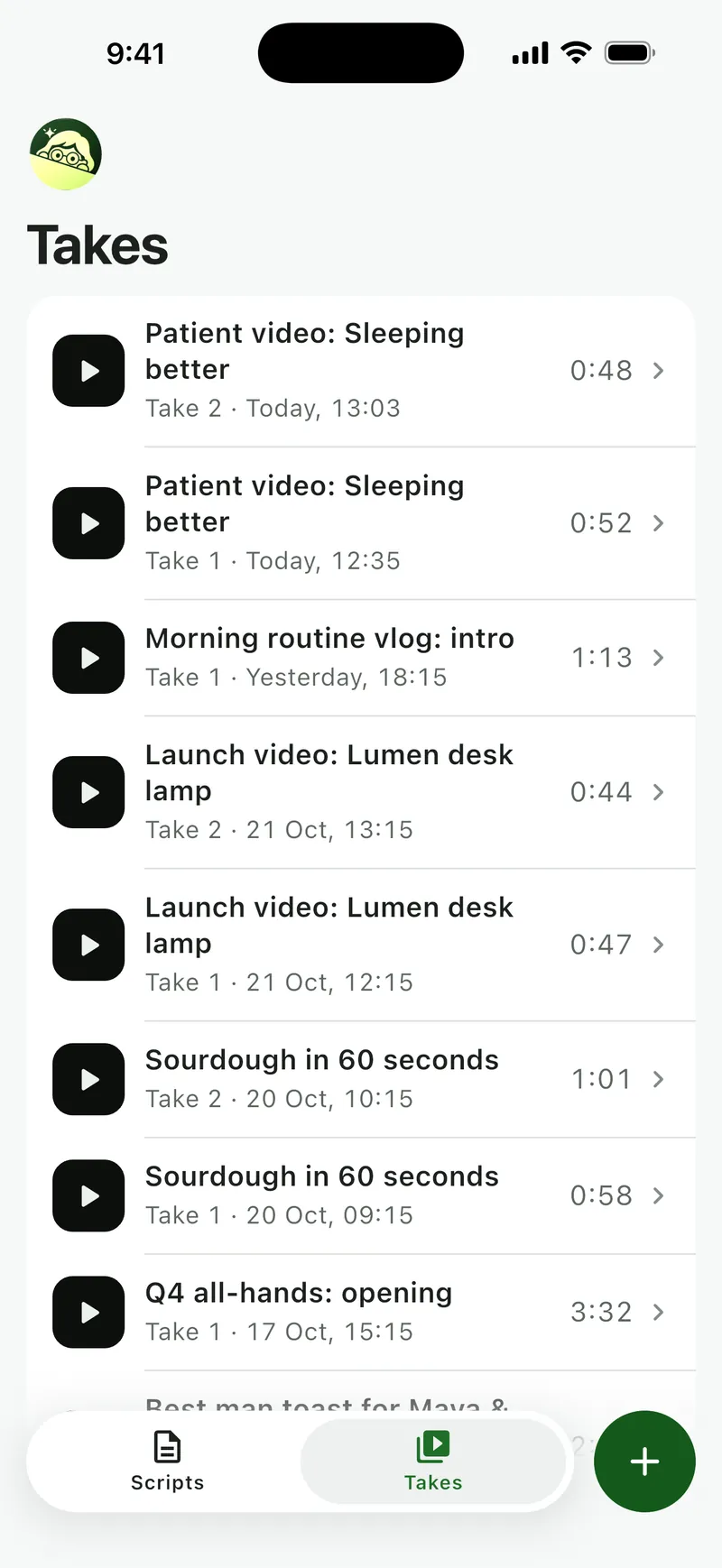
Every take, kept with its script


 Safe
Takes saved as you record.
Soyla writes your recording as you go, checks your phone before and during a take, and secures what you have if anything interrupts you.
- Saved as you go. Soyla writes recordings in pieces while you speak, so even a crash keeps everything up to the last second or so.
- Checked before you start. Soyla checks storage, battery and heat before a take and while it runs.
- Stops before space runs out. If storage gets low, Soyla stops and saves your take before it’s full.
- Interruptions handled. A call or an alarm stops the recording and keeps your take.

 Privacy
Your words stay yours.
No account, no sign-in, no cloud. Scripts and recordings are stored in the app on your device and leave only when you choose to share them.
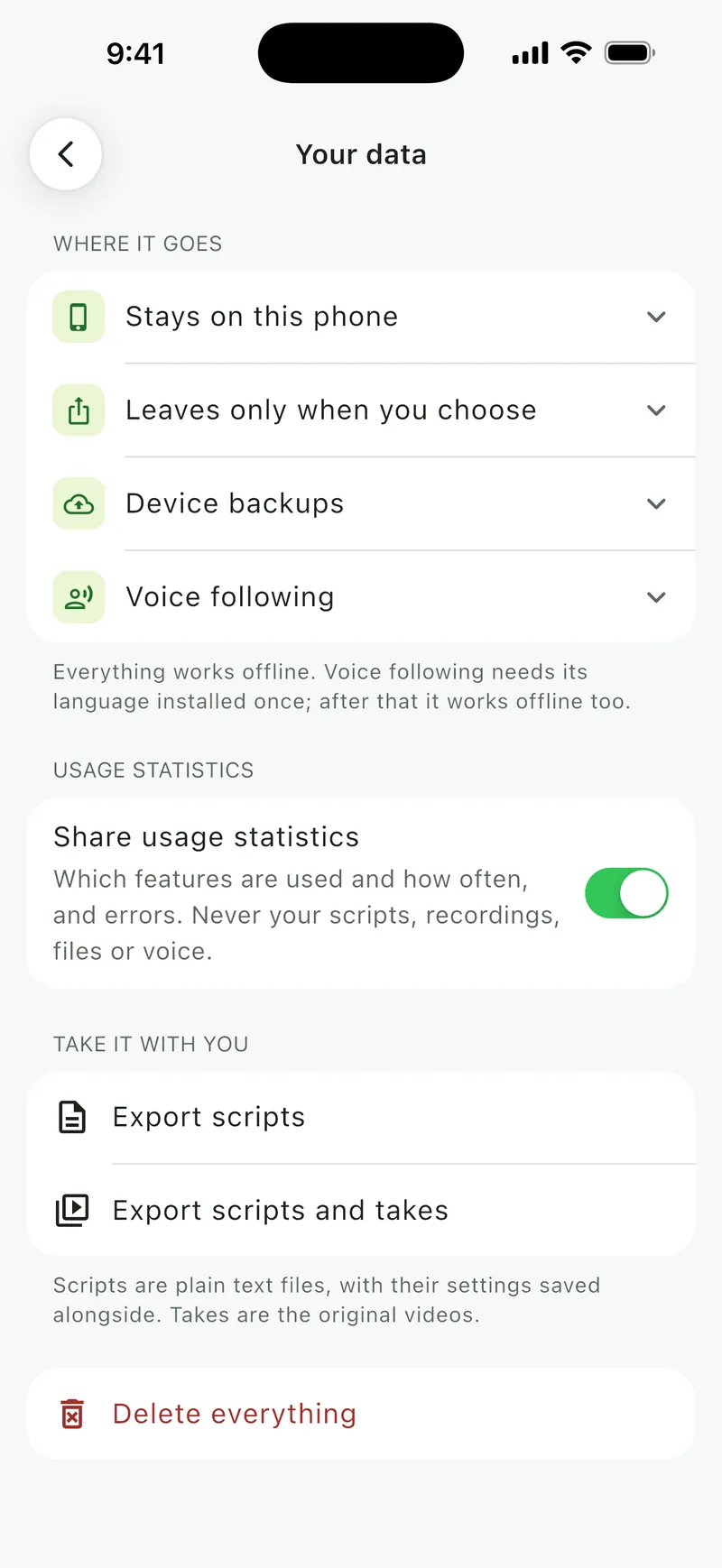
- Stays on your device. Scripts, versions, settings and takes are stored inside the app. They are never uploaded.
- No account. Open the app and start writing. There is nothing to sign up for and no password to keep.
- Your voice stays put. Speech is recognized on your device and never sent anywhere.
- Leaves only when you choose. Sharing, saving to Photos or your gallery and exporting hand a copy to the place you pick. The original stays.
- Take it with you. Export every script as a plain text file and every take as the original video, at any time.
- Delete everything. One step removes every script, take and setting from your device.

Export everything, or delete everything 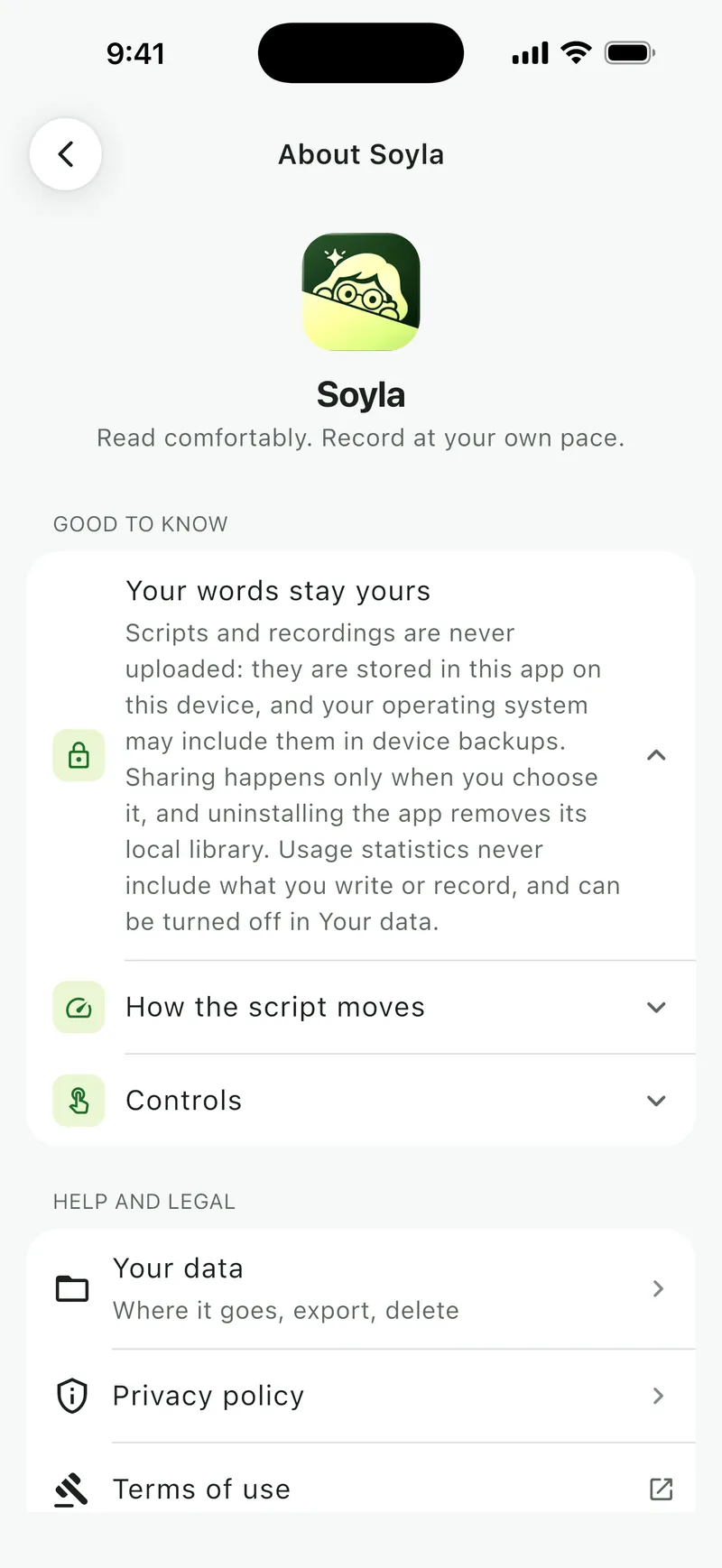
Your words stay yours, in the app’s own words


Small settings and controls that keep your read smooth.
Countdown
Off, or a few seconds to settle in.
Repeat sentence
Go back one sentence, mid-take.
Rehearse on a loop
One section, over and over.
Bookmarks
Jump back to the part that matters.
Remotes and clickers
Space, arrows, Page Up and Down.
Mirror and flip
For beam-splitter rigs.
Focus band
Your line, always easy to find.
Fade what you’ve read
Keep your eye moving forward.
Find your pace
Read aloud once, get your pace.
Finish in a set time
Hit 60 seconds exactly.
Compare versions
Words added and removed.
Undo and redo
Every edit, saved as you type.
External microphones
Wired and USB, chosen in the app.
Level meter
See your sound while you speak.
Manual exposure
Exposure, shutter speed and white balance, where supported.
Social safe area
Keep your face clear of captions.
Hide the preview
Just your words, if you prefer.
Cover image
Pick the frame for your thumbnail.
Even loudness
−16 LUFS, the level online video uses.
Less hiss
Steady hum and hiss turned down.
HEVC
About a third smaller files.
16 languages
The app speaks yours.
Works offline
Writing, reading and recording.
iPhone, iPad, Mac and Android
The same app on each.
 Languages and devices
Soyla’s screens in 16 languages.
The app speaks 16 languages and follows your phone’s. Voice following works in each language your device can recognize on its own: install yours once and it works offline.
- English
- العربية
- Deutsch
- Español
- Français
- हिन्दी
- Bahasa Indonesia
- Italiano
- 日本語
- 한국어
- Português
- Русский
- Türkçe
- Oʻzbekcha
- Tiếng Việt
- 简体中文
Soyla runs on iPhone, iPad and Macs with Apple silicon, with one App Store subscription covering all three, and on Android from Google Play.


Try every feature, free.
Soyla Pro is one plan with everything in it. Start the yearly plan with 7 days free, and keep what you make whatever you decide.
7 days free on the App Store or Google Play