On this page
Before you paste a script into any teleprompter app, find out where your words, recordings and voice end up. Don’t take any of that for granted.
A script you haven’t delivered yet is private, and the safest copy of it is the one that never left your device. So check the storage before the features: if an app has no copy of your script, there’s nothing of yours for it to lose, sell or hand over.
Five things are worth checking every time: whether the app needs an account, where scripts and recordings are kept, where your voice is processed, what the App Store privacy label says, and whether your script is sent to an AI service. Soyla’s privacy page walks through each of these for its own app.
Does the app need an account?#
An account ties your scripts to an email address. It usually means those scripts live on the developer’s servers, and it means a password to protect and a profile that exists somewhere. Before you sign up, check whether the app works without signing in.
Soyla doesn’t ask you to create an account or sign in. There’s no password to keep. You open it and start writing.
Where do scripts and recordings live?#
Look for the words “cloud sync” and “backup” in the app’s description and privacy policy. If scripts sync between devices, they’re stored on a server. A few questions help:
- Can sync be turned off, and does anything stay on the server when it is?
- Are recordings uploaded too, or only scripts?
- Can you export and delete everything yourself?
Your own device’s backup (iCloud backup or a Mac backup, for instance) can include an app’s files, but that’s under the backup settings you choose, not the developer’s.
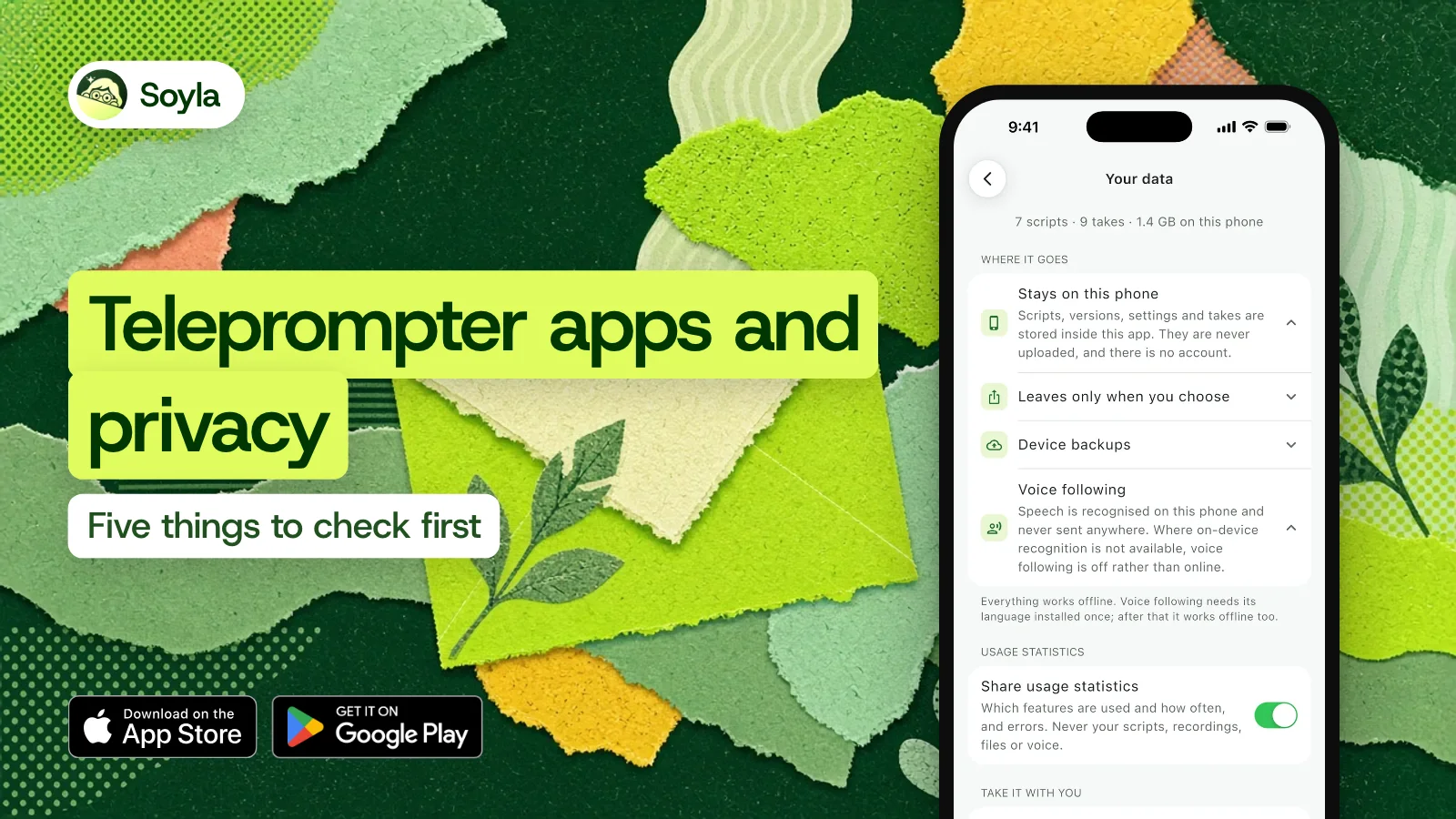
In Soyla, scripts, versions, settings and recordings are stored inside the app on your device and never uploaded. They leave only when you share, save or export them. You can export every script as plain text and every take as the original video at any time, and Delete everything removes every script, take and setting in one step.

Where is your voice processed?#
Voice scrolling, the feature that moves the script as you talk, recognizes speech either on a remote server or with the recognition built into your device. If an app doesn’t say which, assume it may be online, and ask.
Soyla’s voice following uses the device’s own speech recognition and never sends your voice anywhere. Where on-device recognition isn’t available, voice following stays off rather than going online. You install the language once, then it works with no connection at all.
Does your script reach an AI service?#
Many teleprompter and video apps offer AI script writing, rewriting or captions. These features often work by sending your text, and sometimes your audio, to a third-party AI provider. A clear privacy policy names who that provider is. Check whether scripts are sent even if you don’t use those features.
No AI service ever sees a script in Soyla.
How to read the App Store privacy label#
Every app on the App Store has an App Privacy section. Scroll down the listing and you’ll find it. The label groups data into four categories:
- Data Used to Track You — follows you across other companies’ apps and websites.
- Data Linked to You — collected and tied to your identity.
- Data Not Linked to You — collected but not tied to your identity.
- Data Not Collected — the app reports collecting none.
Apple describes “Data Linked to You” as data that “may be collected and linked to your identity” and “Data Not Linked to You” as data that “may be collected but it is not linked to your identity.”
The labels are the developer’s own answers: Apple tells developers they’re “responsible for keeping your responses accurate and up to date.”
Labels change with new app versions, so read them on the day you decide. We read the labels for eight teleprompter and video apps on November 4, 2026: four list data used to track you, and seven list data linked to you. The comparison page has the details.
Soyla’s label shows no data used to track you and no data linked to you. Usage data, purchases, diagnostics and a device ID are listed as “not linked to you.”
Soyla’s anonymous usage statistics, which cover which features are used and how often plus errors, can be turned off in Your data at any time. They never include scripts, recordings, files or voice.
A quick check you can do on any app#
You don’t need to read a full privacy policy before you try an app. A fast scan covers most of what matters:
- Open the App Store listing and scroll to App Privacy.
- Search the description for “account,” “sign in,” “cloud” and “sync.”
- Search the privacy policy for “speech,” “voice,” “audio” and “AI.”
- Install the app and notice what it asks for before you can write a single word.
If an app asks for an email before you’ve typed a line, that’s a signal. If a teleprompter starts with a blank page and no login, your script has fewer places to end up.
What Soyla keeps off servers entirely#
Soyla works offline: writing, reading, recording and voice following on the device all run without a connection, once its language is installed.
If you need a teleprompter on a computer where you can’t install an app, the free online teleprompter at getsoyla.com runs in a modern browser with no sign-up, no trial and no limit. The script stays in that browser’s own storage and is never sent anywhere.
The yearly plan starts with 7 days free, every feature included. Cancel at least 24 hours before the trial ends and you aren’t charged.
Frequently asked questions
Who fills in an App Store privacy label?
The developer does. Apple tells developers they’re “responsible for keeping your responses accurate and up to date.” That means you’re trusting the developer’s own answers. Read the label alongside the app’s privacy policy so you can see whether the two match.
Does on-device speech recognition work offline?
In Soyla, voice following needs its language installed once, then works with no internet connection. Where on-device recognition isn’t available for a language, Soyla keeps voice following off rather than sending your speech online.
Is a cloud teleprompter less private than an offline one?
Yes. With a cloud teleprompter, your scripts sit on another company’s servers, under its security practices and policies. An app that keeps scripts on your device has none of them to hold, lose or hand over. The fewer copies that exist outside your device, the fewer places a leak can start.